

Picture this: the washing machine stops mid-cycle, the technician asks for the model number and the date of the last service visit, and you have no idea where any of those details live. You search kitchen drawers, dig through a pile of papers, and call back with only half the answer. That frustrating moment is exactly what organized appliance records prevent.
You do not need a complicated system or special software to stay on top of it. All you need is one place where every manual, service date, and repair note has a home. These 16 home appliance maintenance record organization ideas will help you build a simple tracking system that keeps every appliance history easy to find, easy to update, and ready whenever a technician, a buyer, or a future you needs it.
1. Start a Master Appliance Log Binder
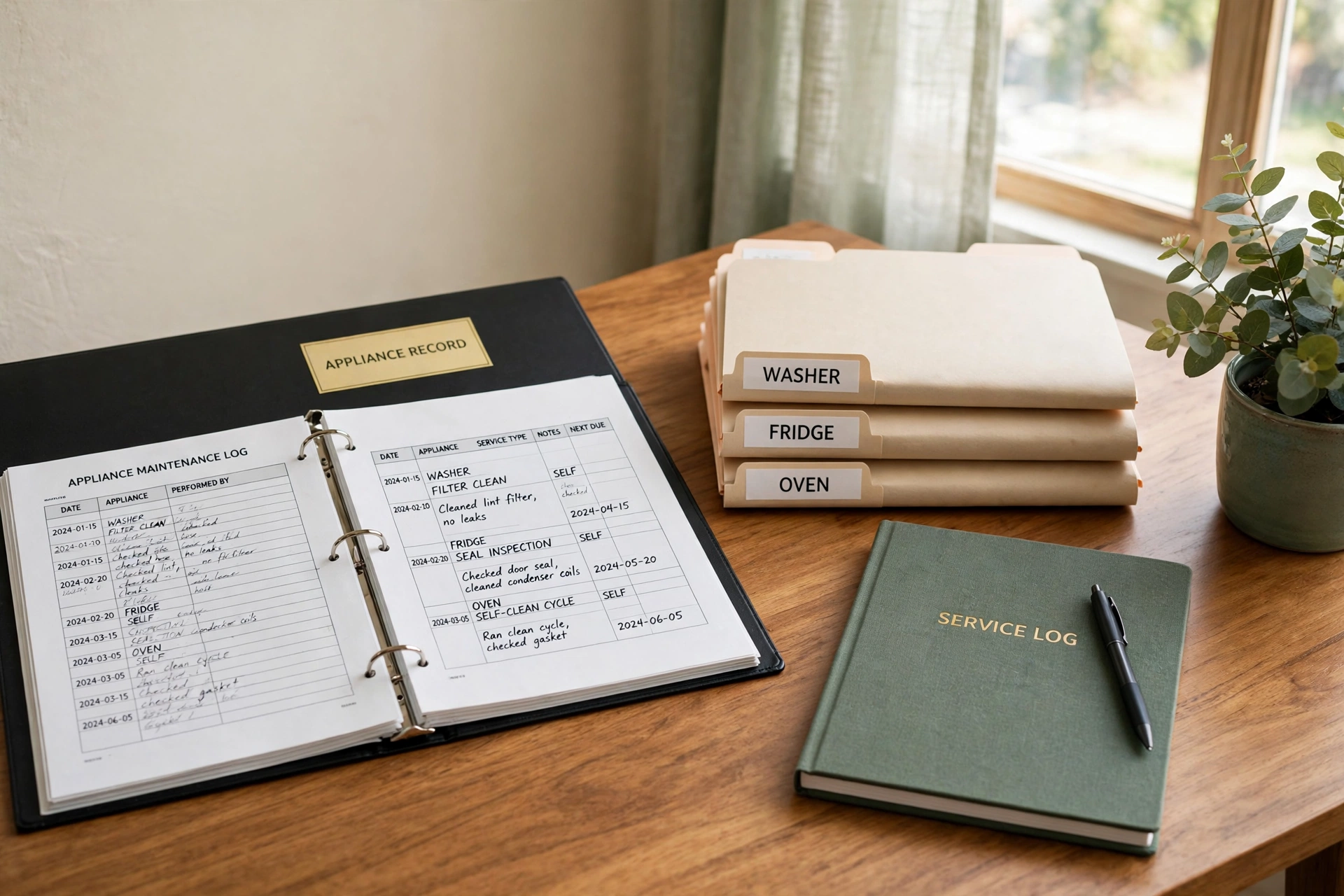
A master log binder is the backbone of any appliance record system. One sturdy ring binder holds a section for every major appliance in your home, from the refrigerator to the water heater, and each section keeps its own records in order. When a question comes up about any appliance, you open the binder instead of searching the whole house.
Choose a binder with a clear cover pocket and wide dividers, and label each divider with the appliance name and the room where it lives. Add a table of contents page at the front that lists every appliance and the date you started its section. A single binder turns scattered papers into one reliable reference you can carry to the phone or hand to a technician.
2. Give Every Appliance a One-Page Record Sheet
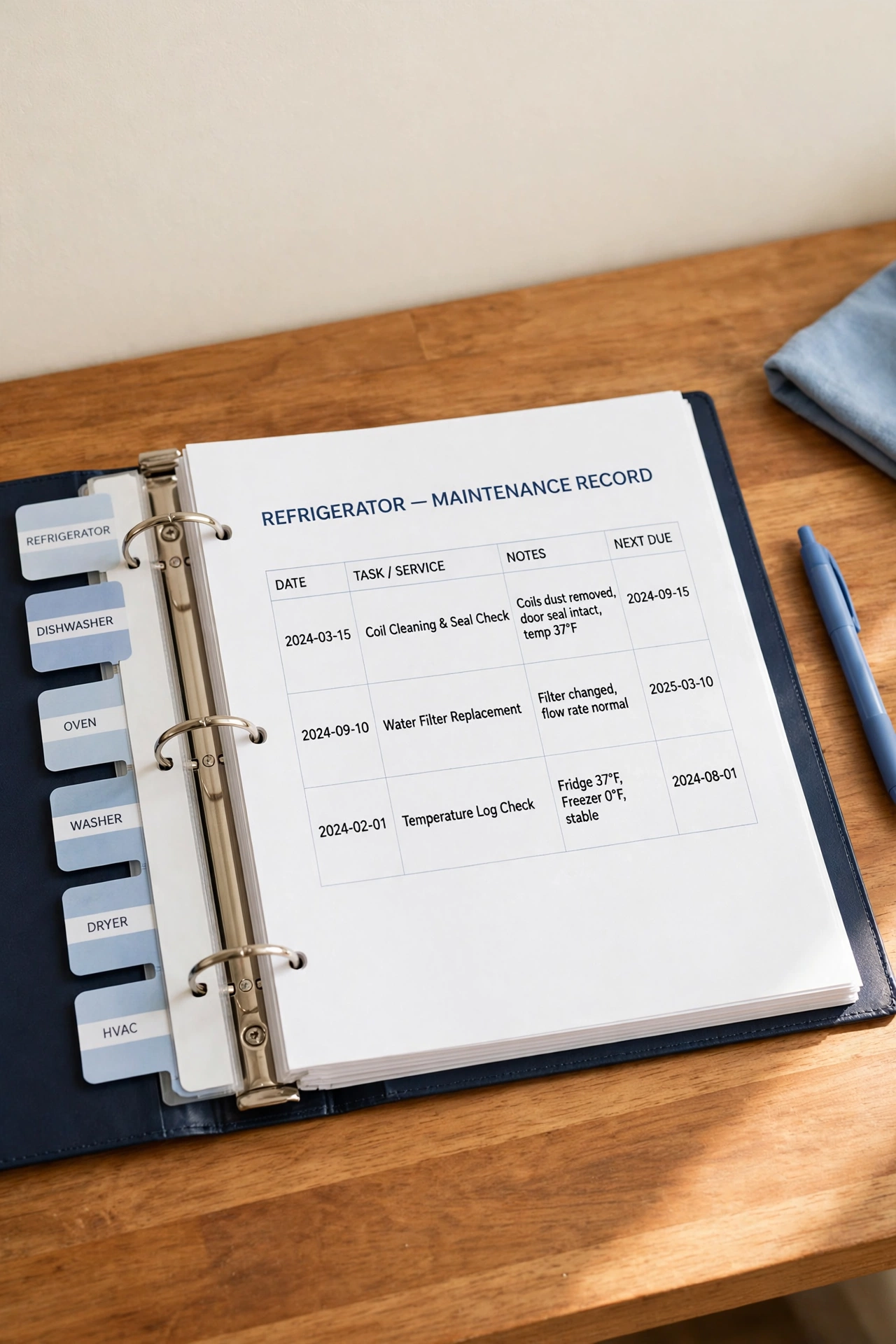
A one-page record sheet puts the most important facts about an appliance on a single sheet of paper. The sheet lists the brand, model number, serial number, purchase date, seller name, and installation date, all in one glance. When you need a detail in a hurry, you read one page instead of flipping through a whole manual.
Print the same blank template for every appliance so each sheet looks familiar and nothing gets forgotten. Fill in the details on the day an appliance arrives, while the paperwork is still in your hands, and slip the finished sheet at the front of that appliance section in your binder. One consistent page per appliance keeps the whole system quick to use and easy to keep current.
3. File Manuals in Labeled Sleeves by Room
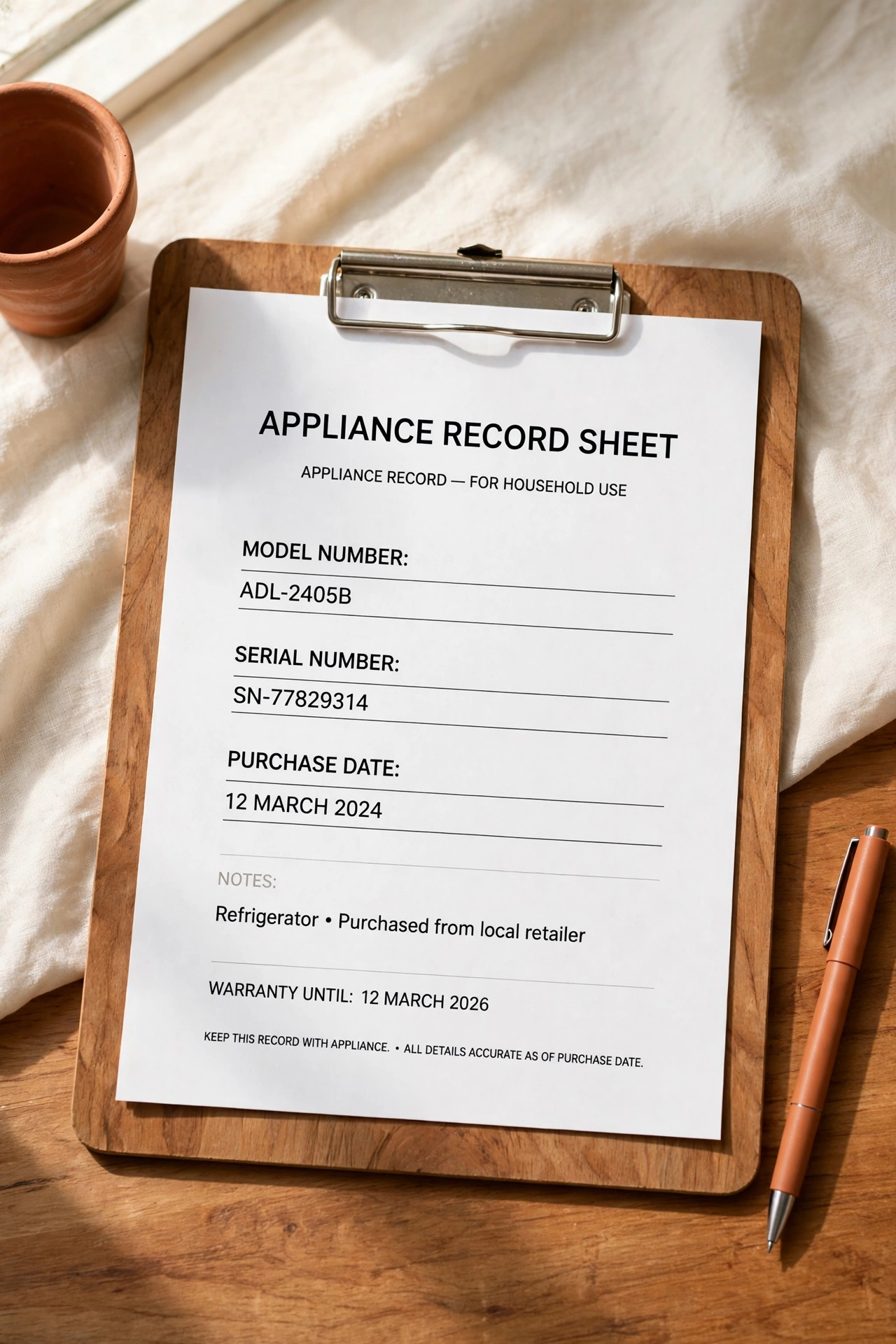
Instruction manuals are the first thing you need when an appliance shows an error code, and the last thing you can find when they live in a random drawer. Clear plastic sleeves, each labeled with the appliance name and room, keep every manual flat, clean, and visible. You can read the cover through the sleeve without pulling anything out.
Group the sleeves by room so all kitchen manuals sit together and all laundry room manuals sit together. Store the sleeves upright in a file box or a binder, with the labels facing out in alphabetical order. A manual you can find in ten seconds is a manual you will actually use when a problem appears.
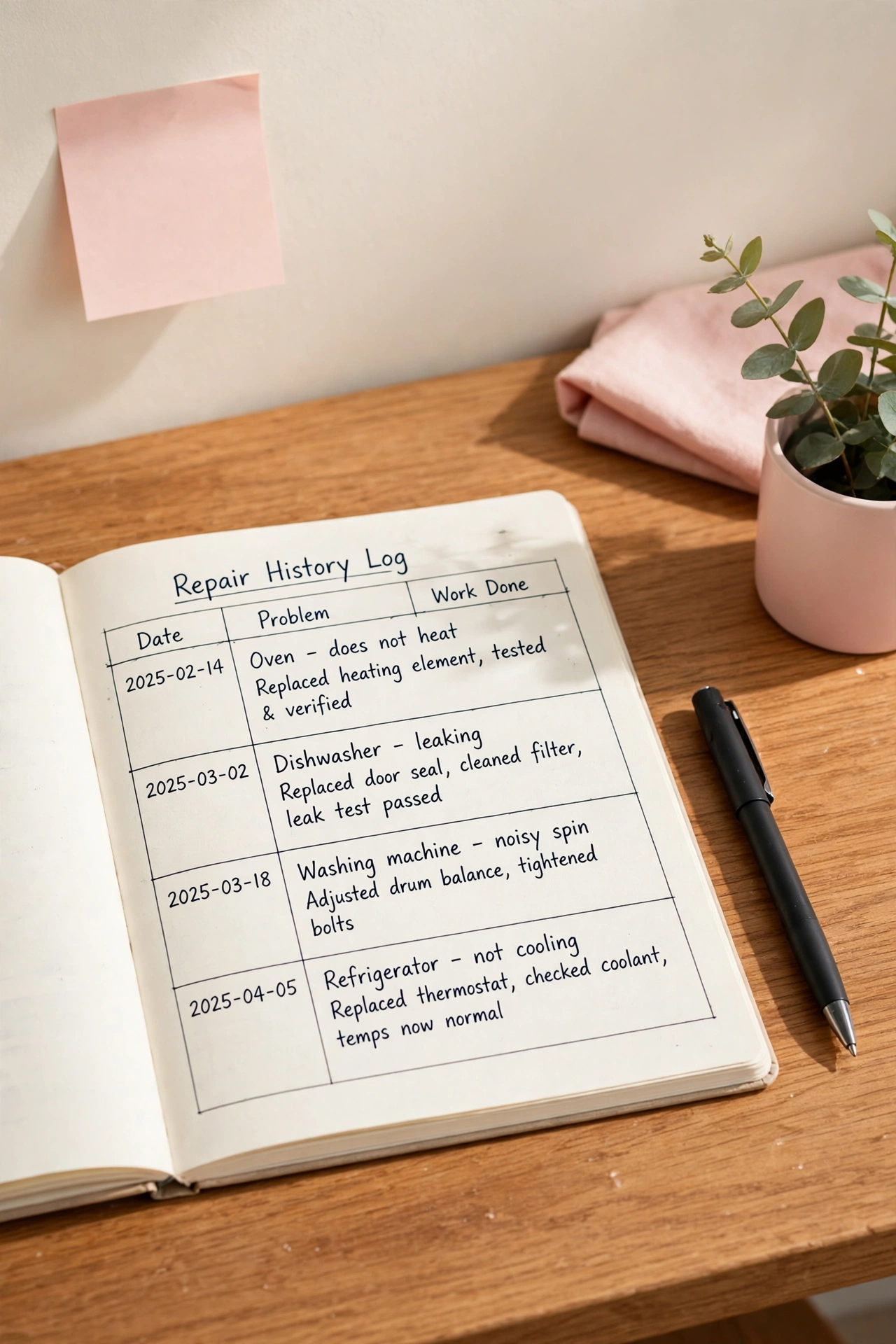
4. Keep a Repair History Log for Every Service Visit
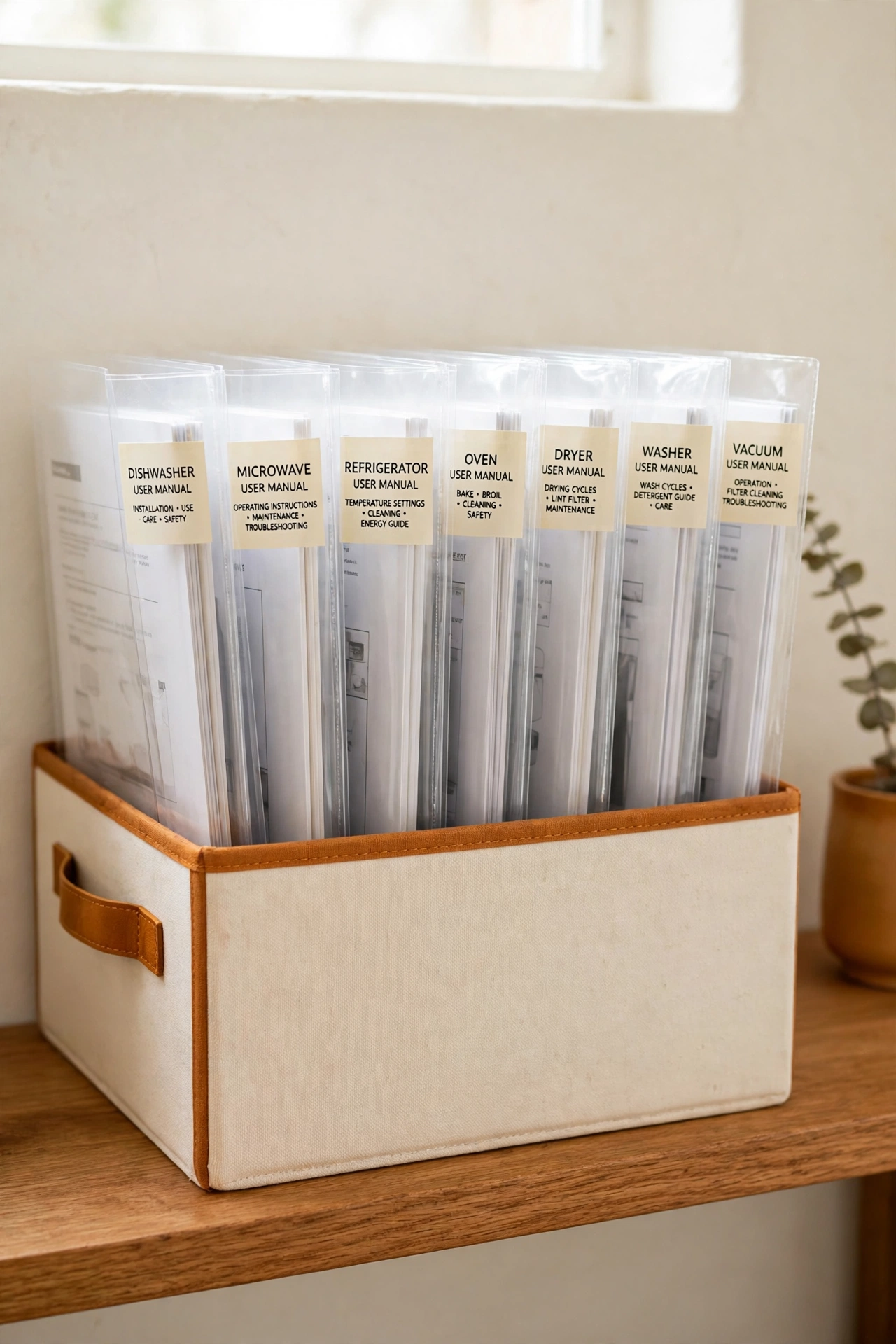
A repair history log is a running record of every service visit an appliance has ever had. Each entry notes the date, the problem, the work done, the parts used, and the name of the technician. Over time the log tells the story of each appliance, and patterns become obvious, such as a dishwasher that needs the same part every eighteen months.
Keep one log page per appliance and add a new line after every visit, while the details are still fresh in your mind. Ask the technician to confirm the part names and the work performed before they leave, and write the answers down on the spot. A complete repair history also helps you decide whether an aging appliance is worth fixing again or ready to replace.
5. Track Filter Changes on a Dated Chart
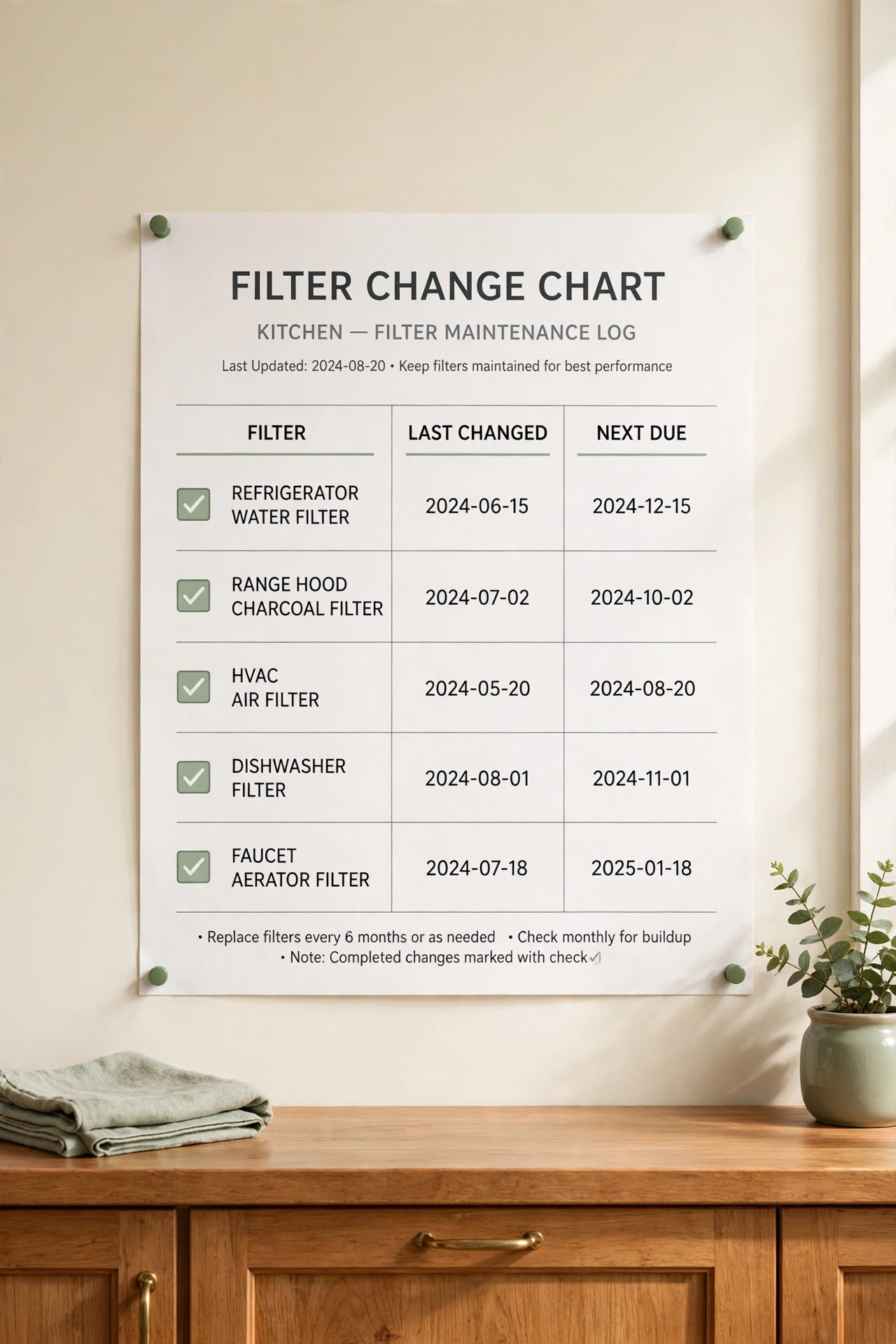
Filters hide inside appliances and get forgotten until performance drops, so a dated change chart is a simple way to track them. The chart lists every filter in the home, the date it was last changed, and the date the next change falls due. One look at the chart tells you which filters are current and which ones are overdue.
Hang the chart inside a cabinet door or keep it at the front of your appliance binder, and update it the same day a filter is swapped. For filter routines tied to drinking water systems, these water filter and refill station organization ideas show how to keep replacement supplies and records together in one tidy spot. A chart with real dates removes all guesswork from a job that is easy to forget.
6. Mark Service Dates on a Household Record Calendar
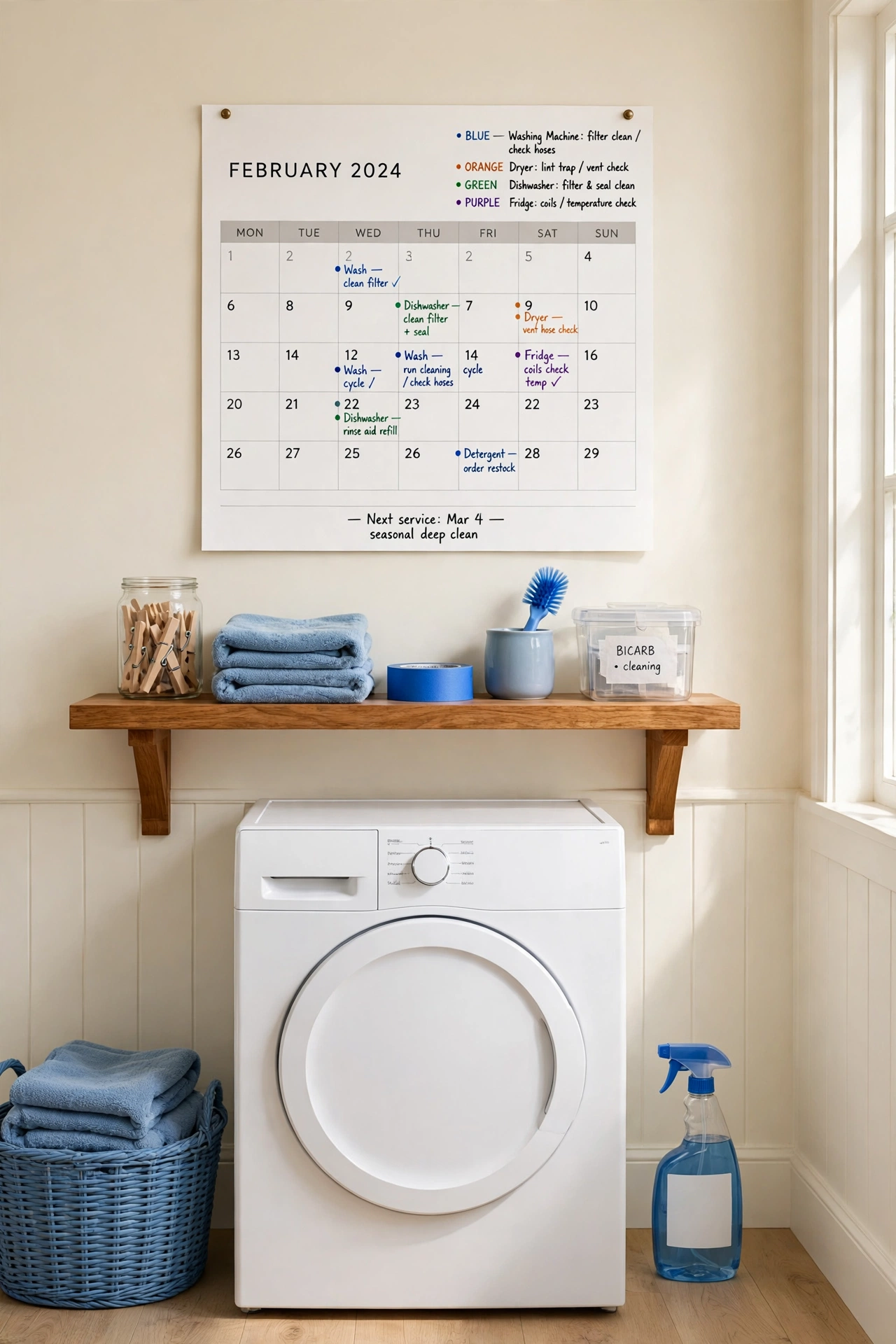
A household record calendar keeps every past and upcoming service date in one visible place. Each appliance gets its own color, and every completed visit gets marked on the day it happened, so the calendar doubles as a history and a reminder system. At a glance you can see which appliances were serviced this year and which ones are still waiting.
Use a paper wall calendar in the utility area or a shared digital calendar that the whole household can see. Record the visit on the calendar the same day it happens, and add a note about what was done so the entry means something months later. A calendar full of real service dates gives you a clear picture of how well each appliance has been cared for.
7. Record Model and Serial Numbers in One File
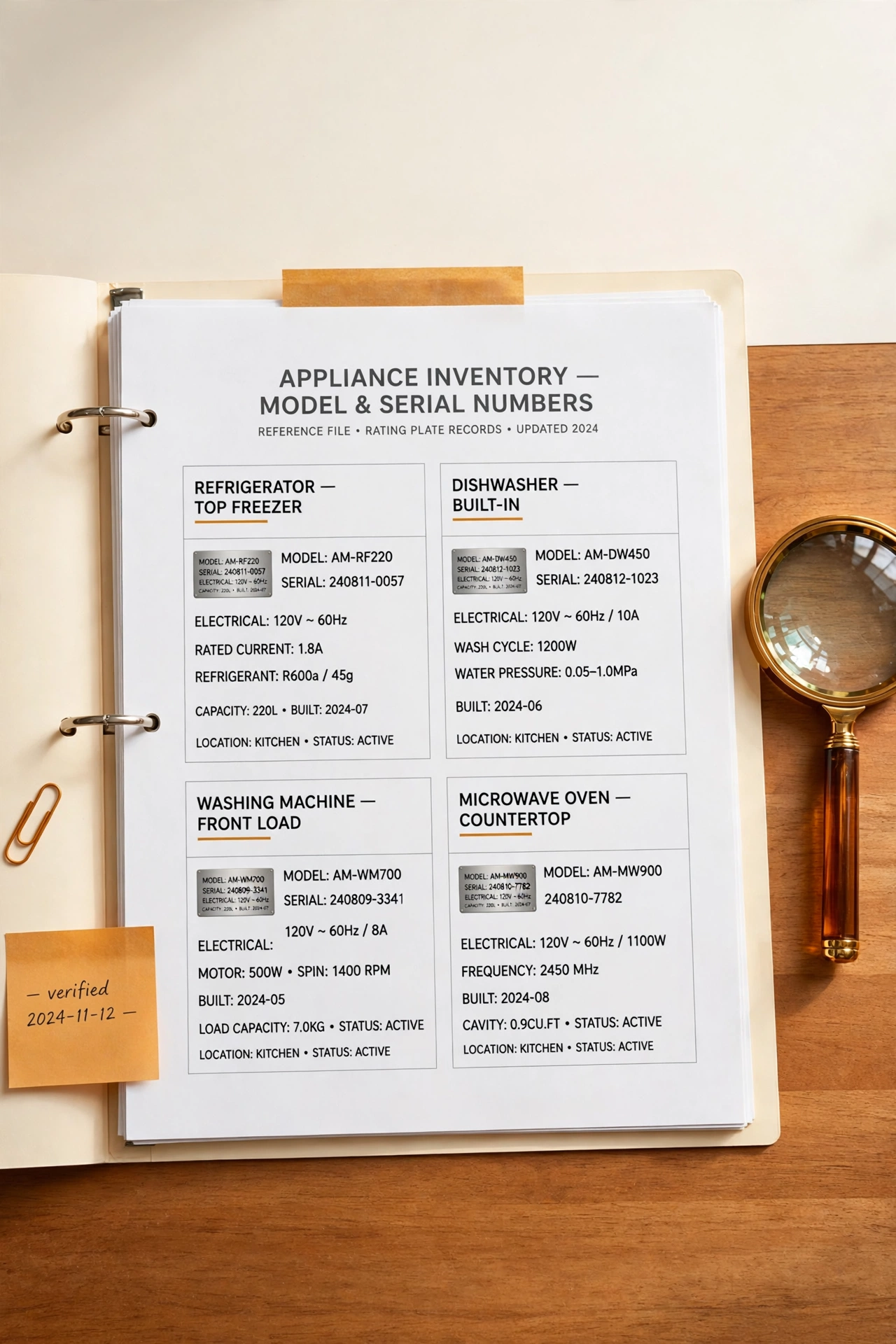
Model and serial numbers live on small plates hidden behind doors, under lids, and on the backs of appliances, which makes them hard to find when you need them most. One master file that lists every number for every appliance saves you from moving a heavy machine just to read a tiny label. The file becomes the first place you look for any parts order or service call.
Photograph each rating plate with your phone and write the numbers into the file by hand as well, so you have both a picture and a written record. Store the file with your appliance binder and keep a copy on your phone for calls made away from home. Ten minutes of recording today prevents a long search on the day something breaks down.
8. Store Service Invoices in Dated Folders
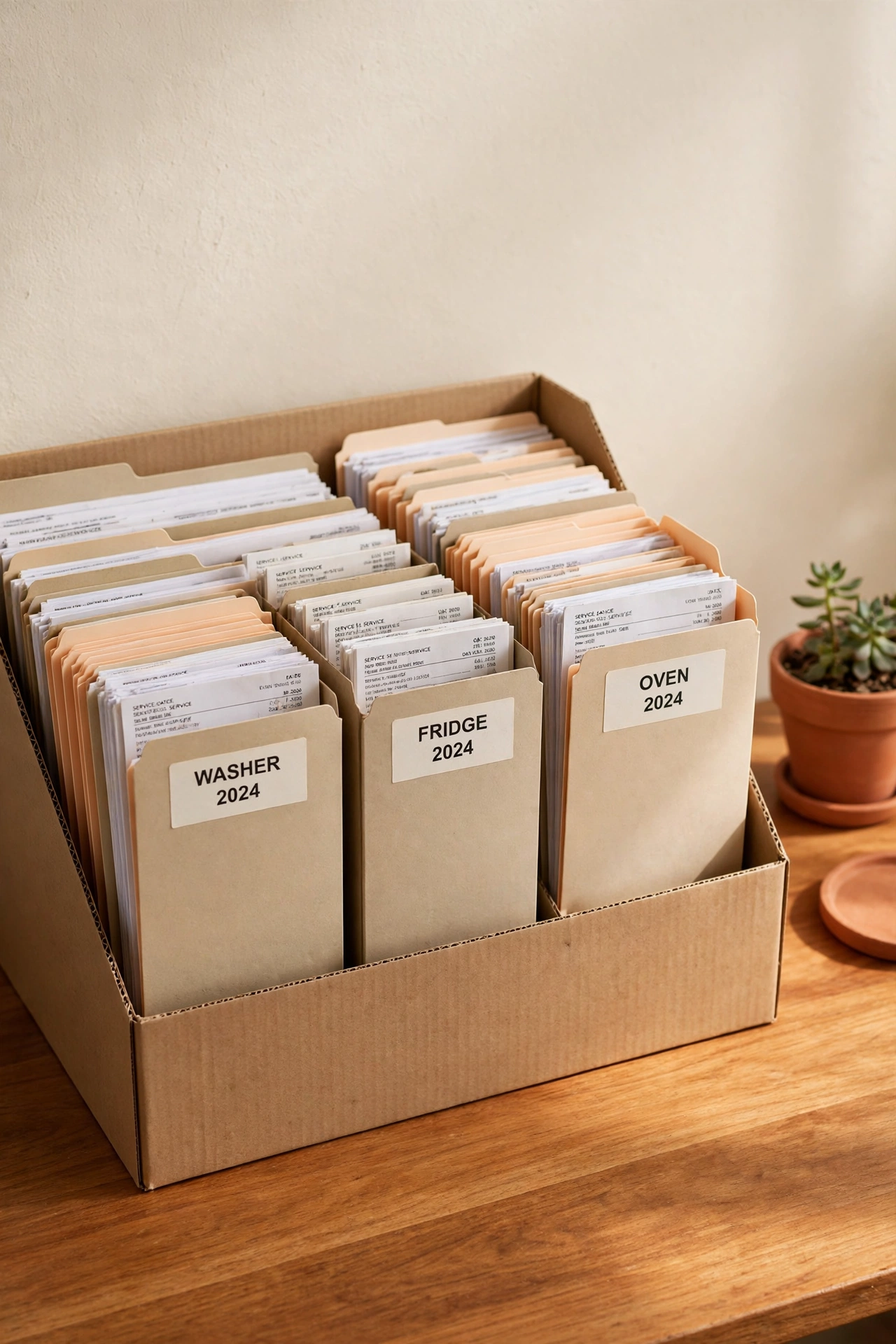
Service invoices prove what work was done, what it cost, and who did it, which matters when a repair fails or a dispute arises. Dated folders, one per appliance, keep every invoice in order from oldest to newest. The newest invoice always sits at the front, so the most recent visit is the first thing you see.
Label each folder with the appliance name and the year, and slip each new invoice into the folder on the day it arrives. Keep the folders in a single file box near your appliance binder so invoices and logs live side by side. If your home paperwork needs a broader system, these new home paperwork organization ideas show how to keep every household document sorted and easy to retrieve. Dated folders turn a pile of loose receipts into a clean financial history for every appliance.
9. Build a Digital Folder for Each Appliance
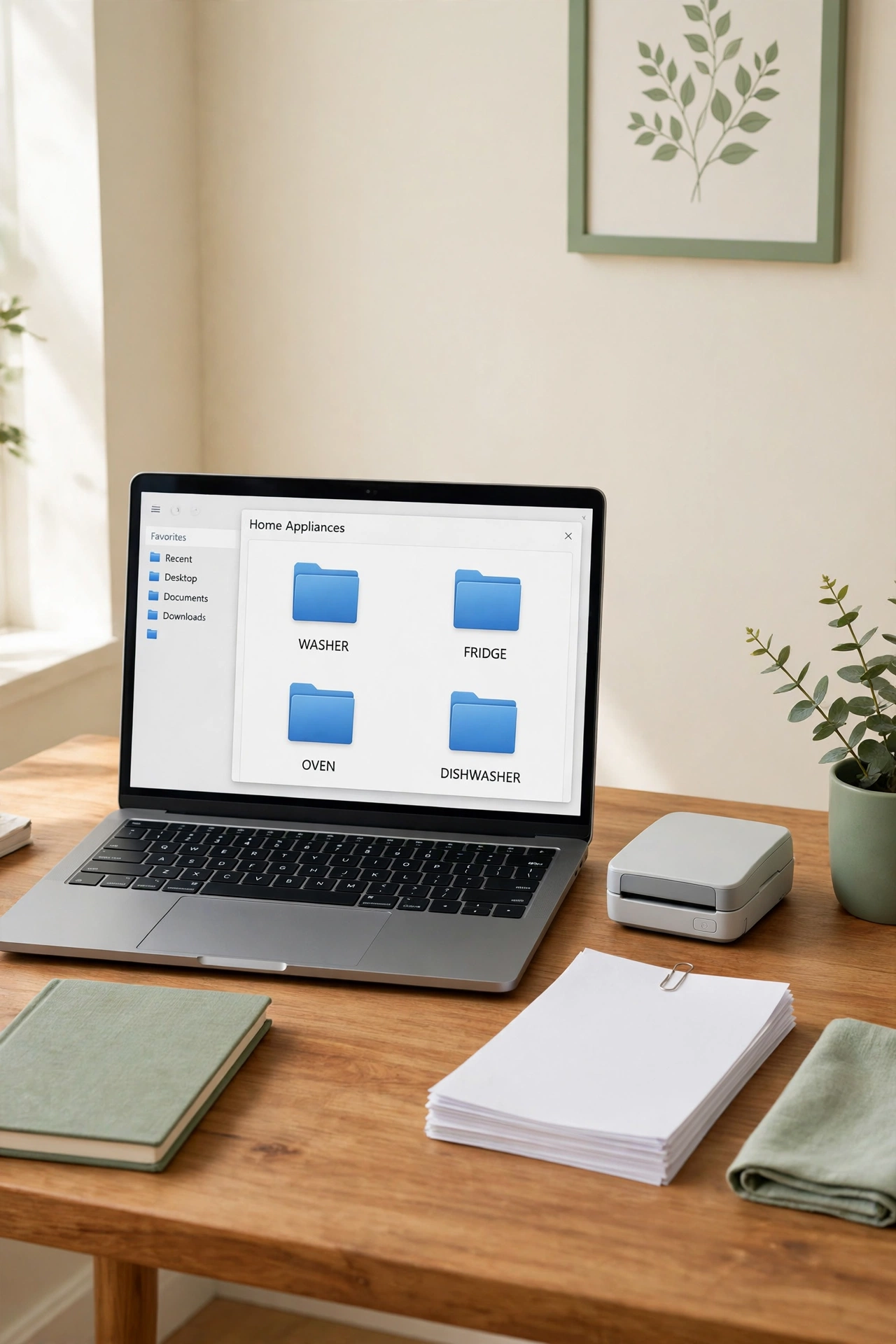
A digital folder for each appliance holds the paperless side of your record system. Scanned manuals, photos of rating plates, digital invoices, and screenshots of error messages all live in one folder named for the appliance. The folders work as a backup for your paper binder and as a quick reference when you are away from home.
Name every folder the same way, with the appliance name first and the room second, and use the same subfolder names inside each one, such as Manual, Invoices, and Photos. Scan new papers the week they arrive so the digital folders never fall behind the paper ones. A consistent digital structure means you can find any appliance file in seconds, from any device.
10. Log Every Part Replacement in a Parts History Sheet
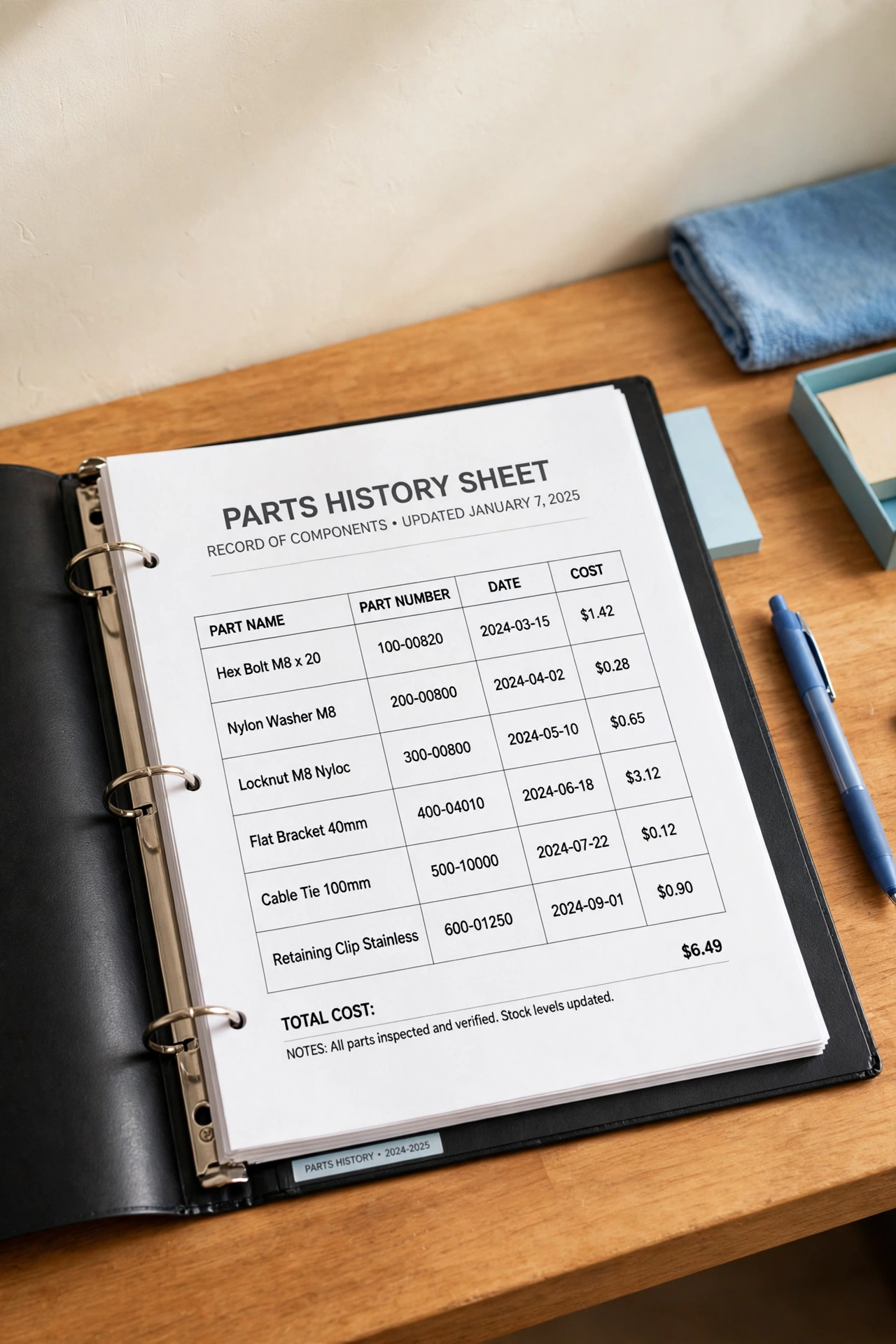
A parts history sheet tracks every component that has ever been replaced in an appliance. Each entry records the part name, the part number, the date it was fitted, and the cost, which makes reordering the same part simple when it wears out again. The sheet also shows which parts fail most often, which helps you judge the true cost of keeping an old appliance running.
Keep the sheet directly behind the repair history log for the same appliance so the two records sit together. Ask the technician for the exact part number at every visit, and copy it onto the sheet before the invoice goes into its folder. A parts history with real numbers turns vague memories into facts you can act on.
11. Keep Technician Notes on Labeled Contact Cards
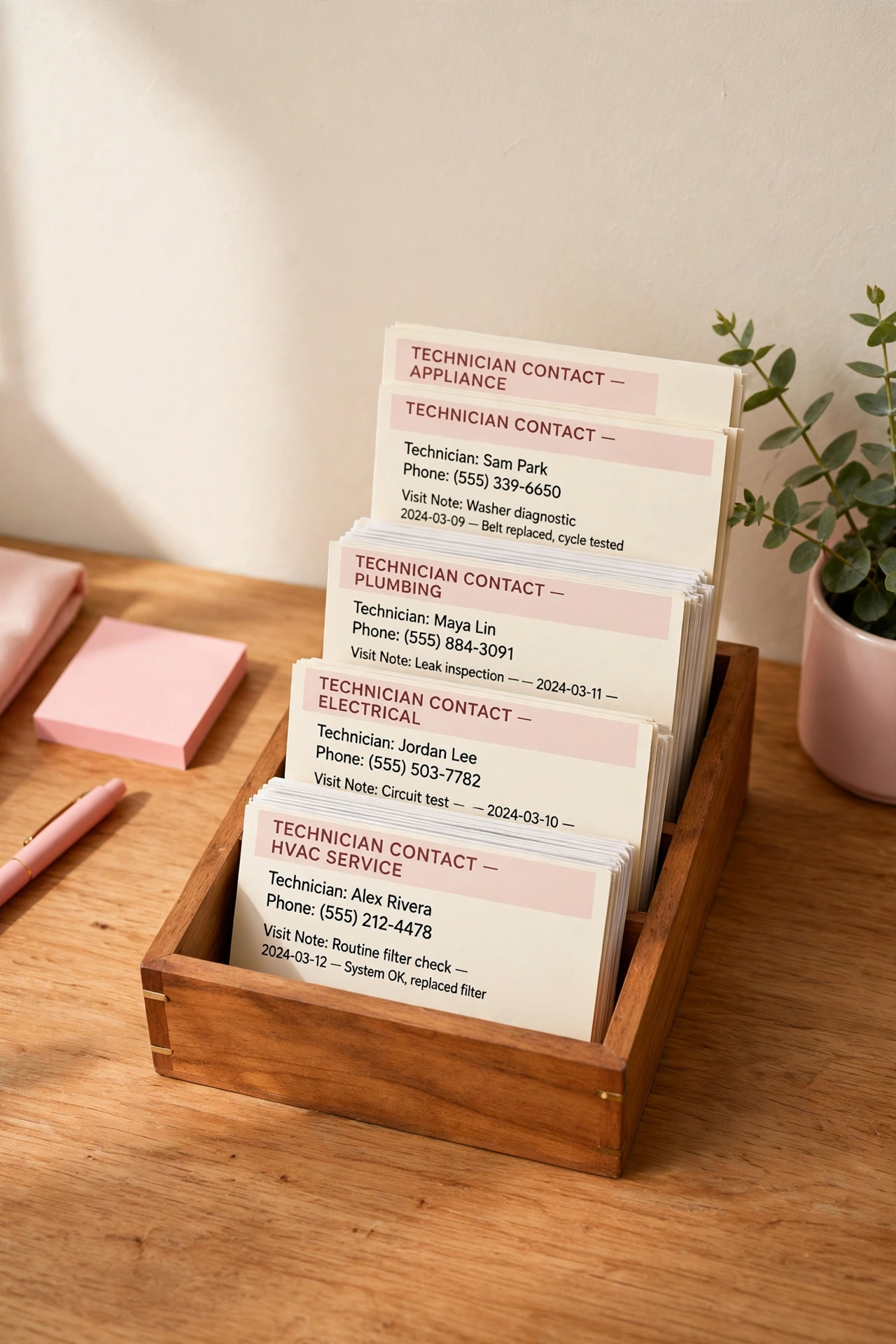
Technician contact cards keep the people side of appliance care organized. Each card holds one company or technician name, phone number, the appliances they service, and a short note about past visits. When an appliance breaks, you reach for the card of the person who already knows your machine instead of searching online from scratch.
File the cards alphabetically in a small card box or a sleeve in the front of your binder, and add a line to the card after every visit with the date and a brief note about the work. Update the card when a number changes or a company stops serving your area. A small box of current contact cards removes the scramble from every future service call.
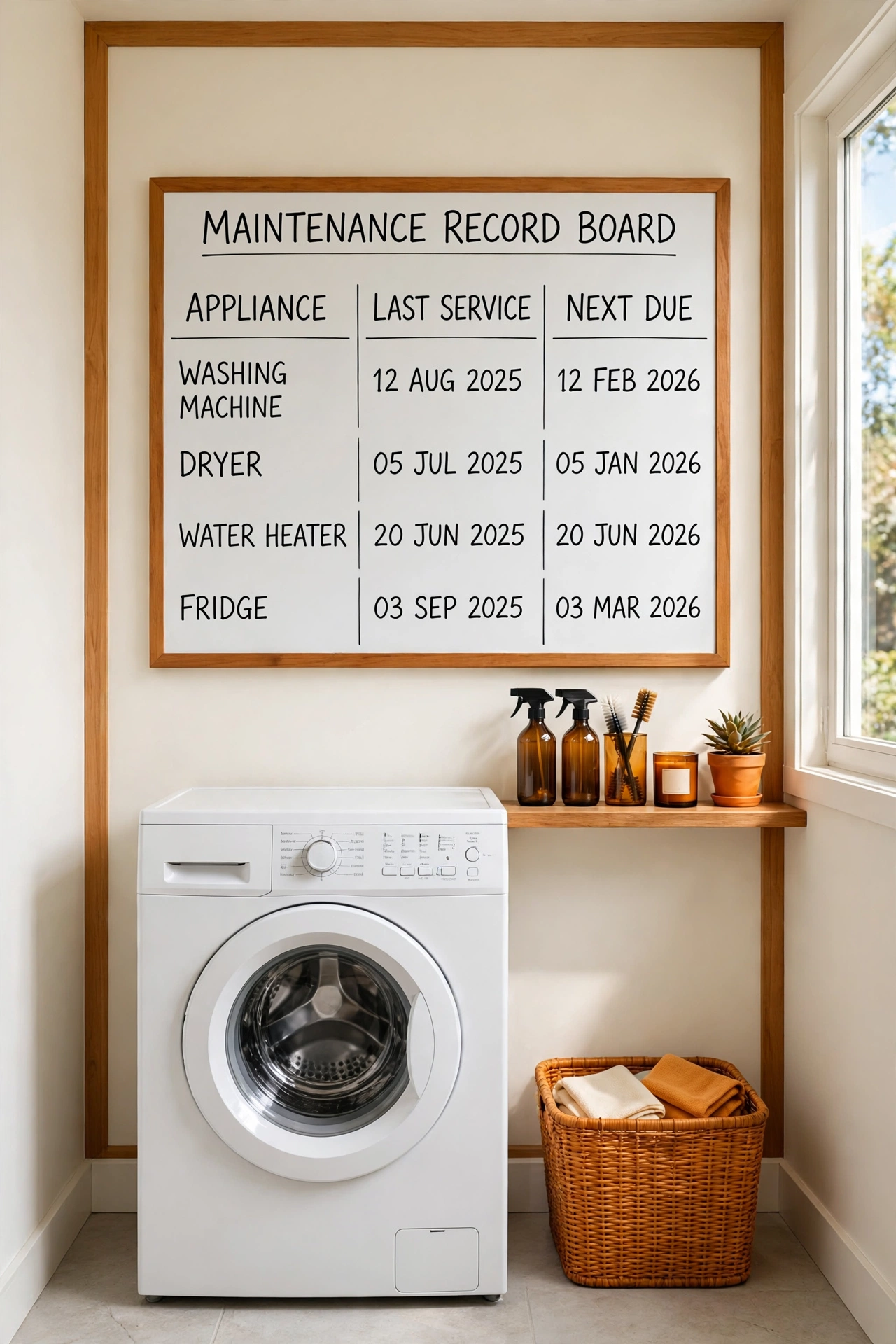
12. Post a Maintenance Record Board in the Utility Area
A maintenance record board puts the most recent dates where the whole household can see them. The board lists each appliance, the date of its last recorded service, and the date the next record falls due, all in large, readable writing. Everyone in the home can check the board and know exactly where things stand without opening a binder.
Use a small whiteboard or a framed cork board mounted in the laundry room or utility area, and update it on the same day a visit is logged. A board works beautifully as part of a family hub, and these family command center organization ideas show how to blend household records into one central spot the whole family uses. A visible board keeps appliance history in plain sight instead of buried in a drawer.
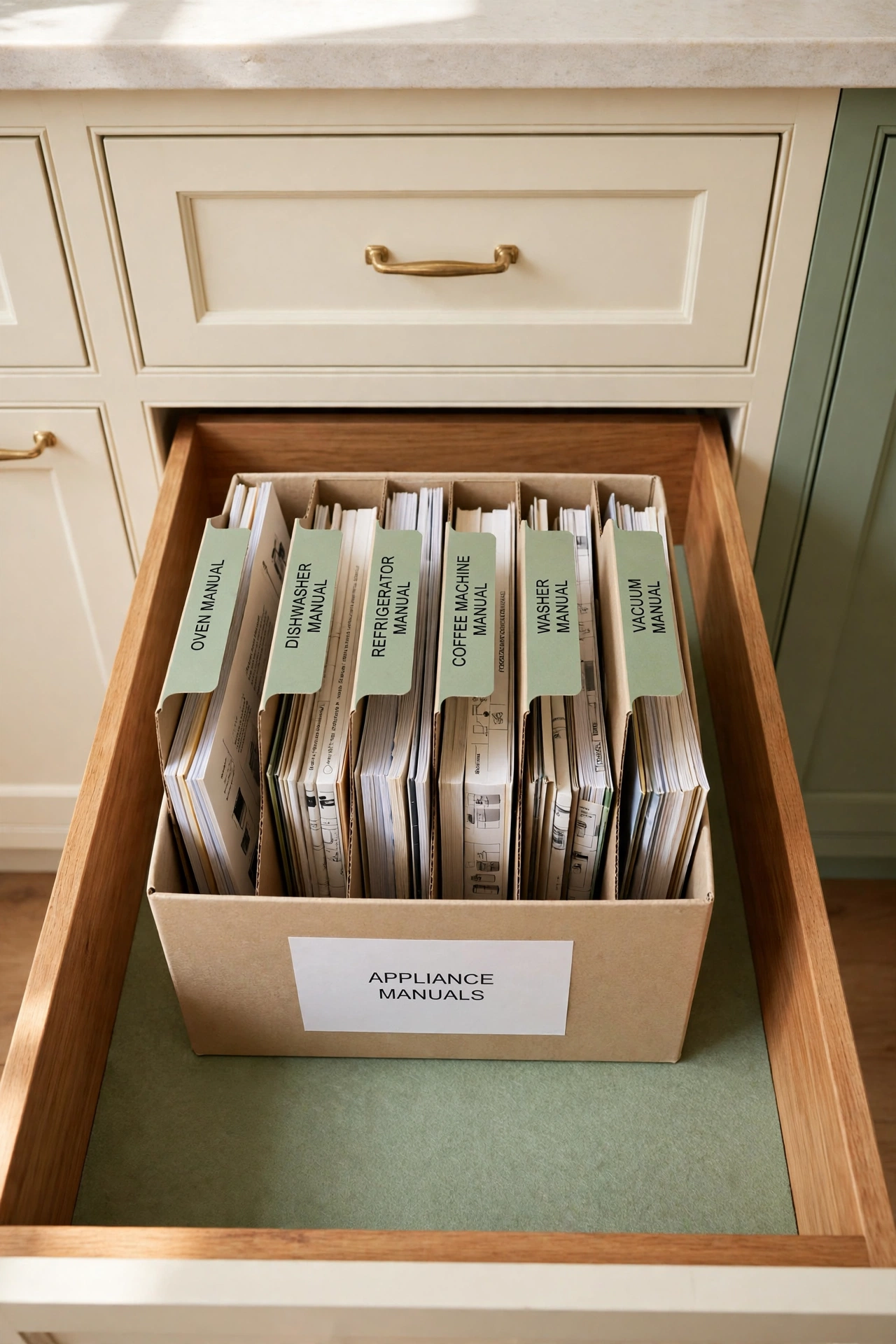
13. Keep a Manual File Box in a Kitchen Drawer
A manual file box in a kitchen drawer keeps the most-used manuals within arm’s reach of the appliances they belong to. Slim dividers separate the manuals by appliance, and the box slides into a deep drawer so the manuals stay flat, clean, and out of sight. The kitchen is the natural home for this box because so many appliances live there.
Choose a box that fits the drawer with a little room to spare, and label each divider with the appliance name in large print. Keep only current manuals in the box, and move manuals for appliances you no longer own to an archive folder elsewhere. A drawer file box makes the right manual available in the moment you need it, right where you stand.
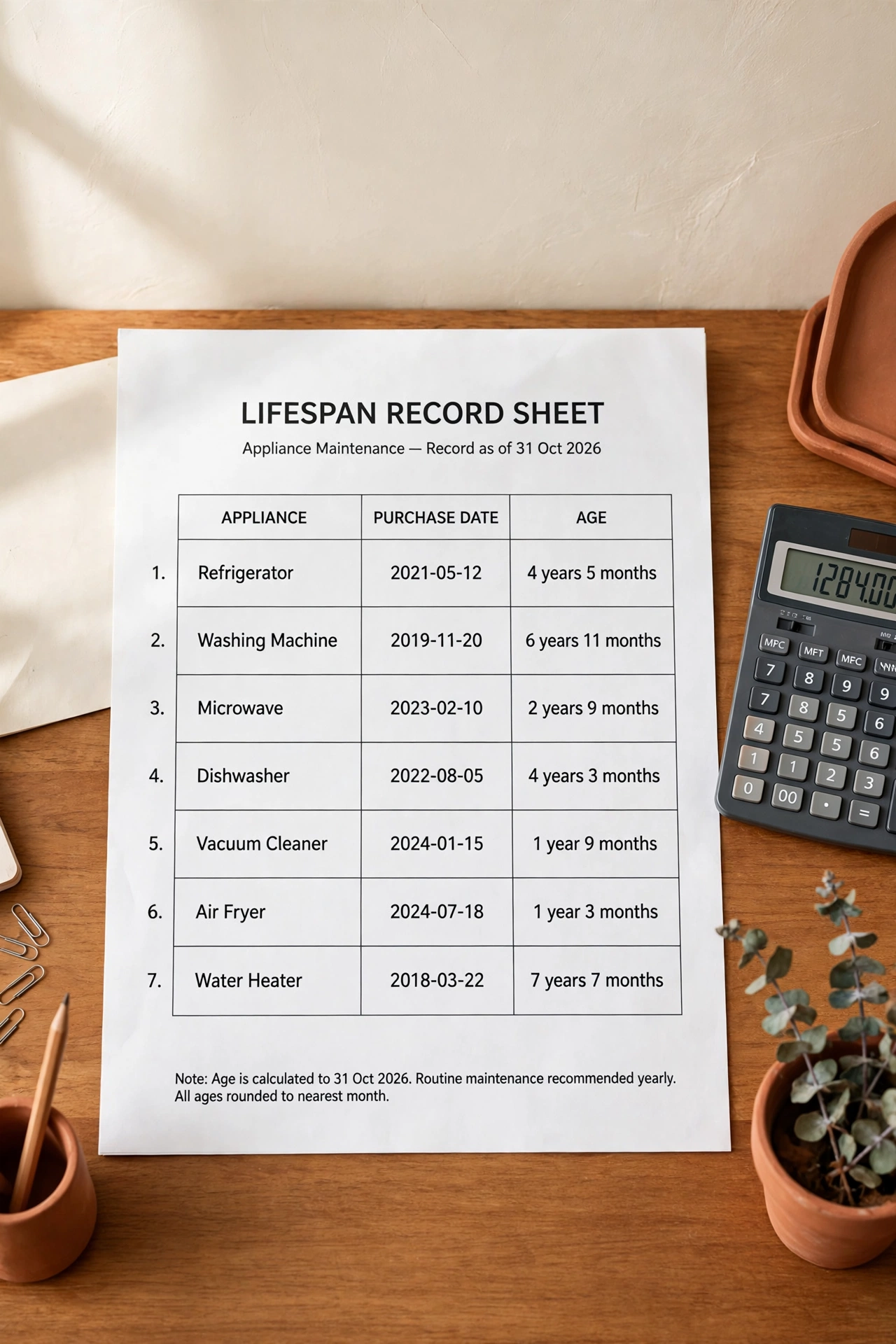
14. Track Appliance Age on a Lifespan Record Sheet
A lifespan record sheet tracks how old each appliance is and how that age compares with a typical service life. The sheet lists the purchase date, the expected lifespan, and the age in years, so you can see at a glance which appliances are young, which are mid-life, and which are nearing replacement. The sheet helps you plan and budget before a breakdown forces a rushed decision.
Update the ages once a year, on the same date you review the rest of your records, and add a note when an appliance passes a milestone age. A whole-home inventory makes this tracking even easier, and these home inventory checklist ideas show how to record every major item in your home in one organized pass. An honest age sheet replaces surprise breakdowns with calm, planned replacements.
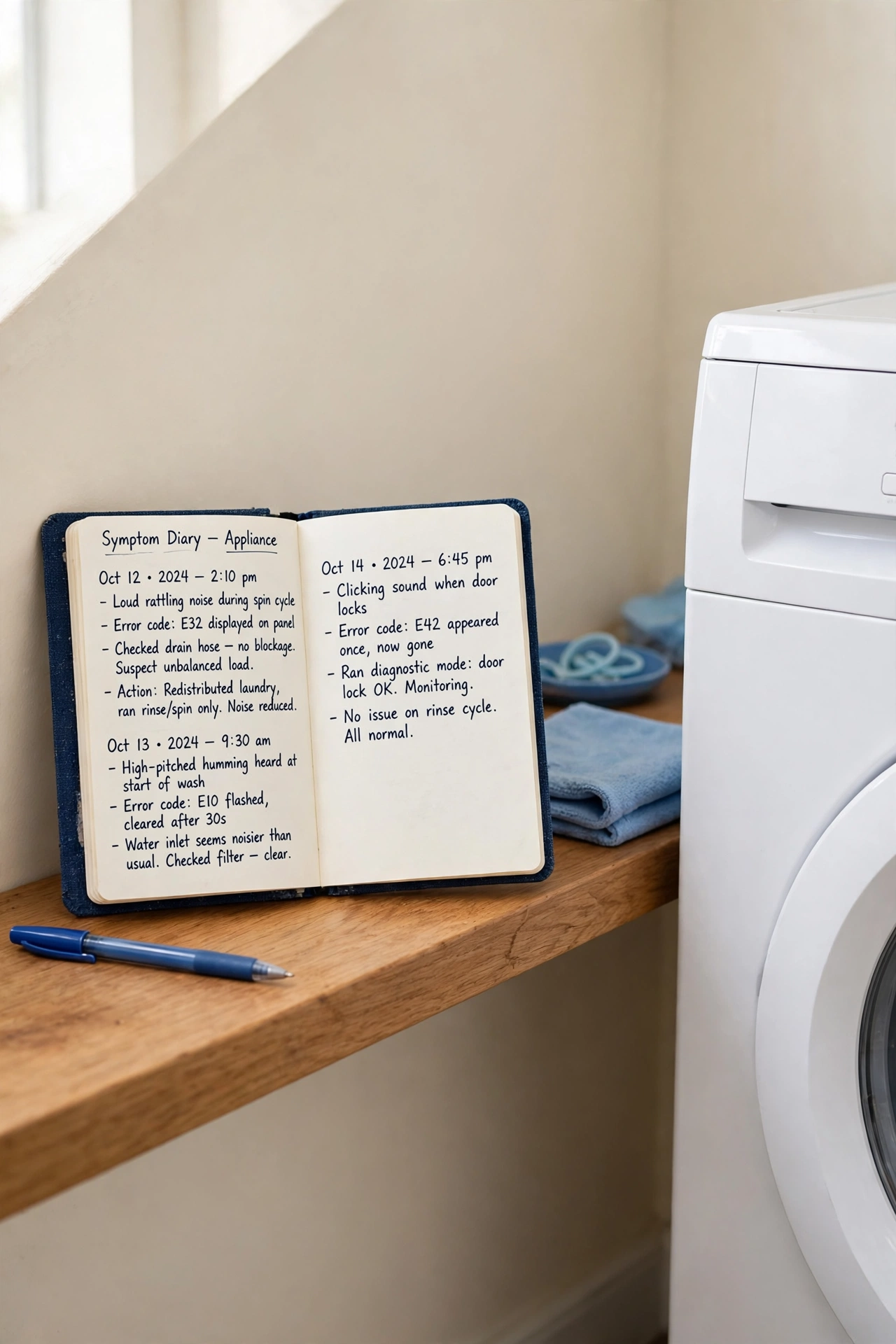
15. Keep a Symptom Diary for Noises and Error Codes
A symptom diary is a dated record of the small warning signs an appliance shows before it breaks down. Each entry notes the date, the sound or error code, what the appliance was doing at the time, and whether the symptom repeated. The diary gives a technician a clear timeline instead of a vague description, which often leads to a faster and cheaper diagnosis.
Keep a small notebook near the appliance or one shared diary page per appliance in your binder, and write the entry on the day you notice the symptom. Note the exact error code shown on the display, word for word, and photograph the display if you can. A careful symptom diary turns “it makes a funny noise sometimes” into evidence a professional can use.
16. Review and Update All Records Once a Year
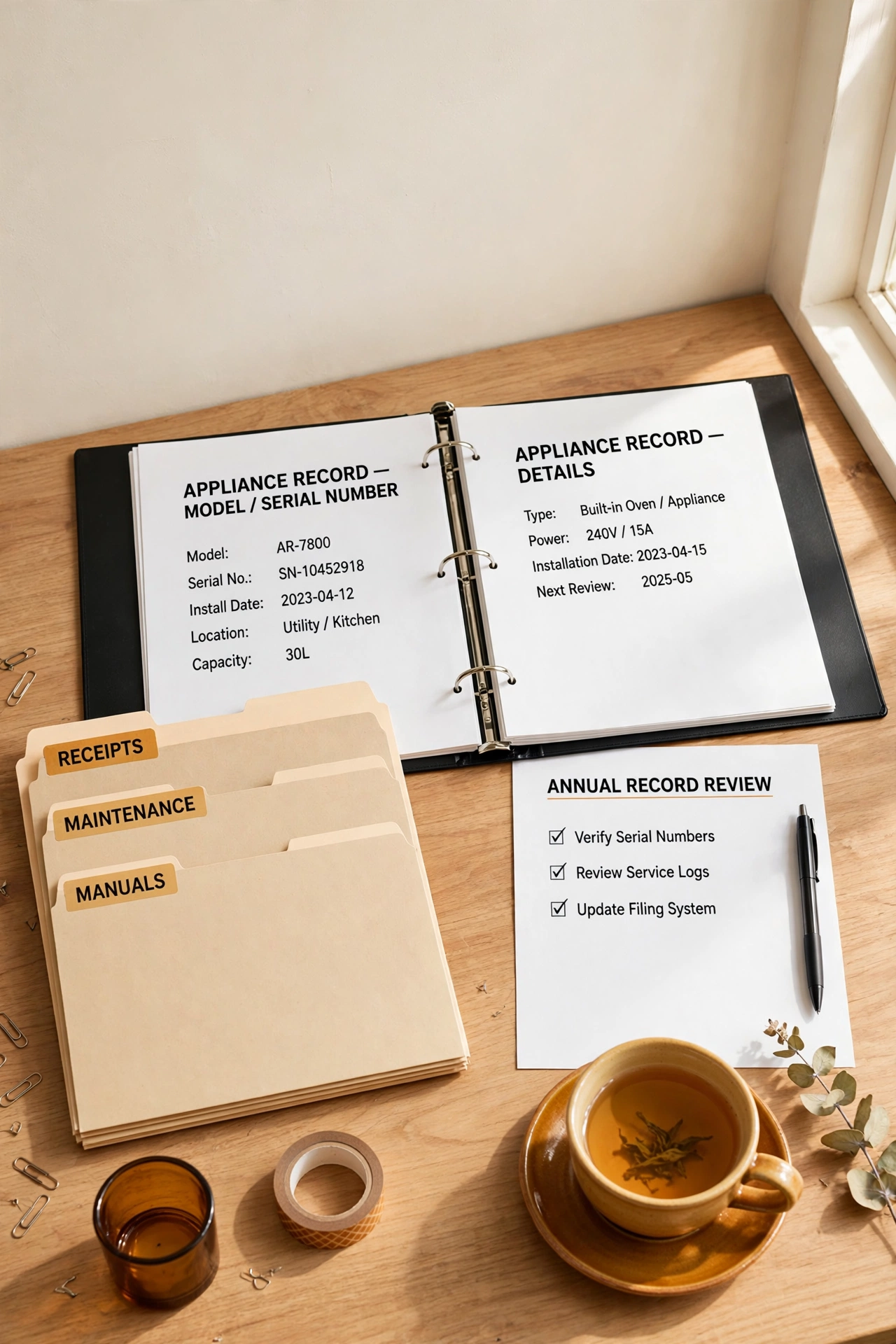
An annual record review keeps the whole system honest and current. Once a year, open every appliance section, check that the newest service dates, invoices, and part entries are all filed, and remove records for appliances that have left the home. The review takes less than an hour and prevents the slow drift that turns a good system into a drawer of stale papers.
Pick a fixed date for the review, such as the first weekend of a new year, and treat it as a household routine rather than a chore to postpone. During the review, update the lifespan sheet, refresh the record board, and confirm that the digital folders match the paper binder. A yearly review keeps every record trustworthy, so the system stays useful for years instead of fading after a few months.
Conclusion
Appliance maintenance records do not need to be complicated to be useful. A binder, a few labeled folders, a dated chart, and a habit of writing things down on the day they happen will keep every appliance history organized for years. The system works because it is simple enough to maintain and complete enough to answer any question.
Start with the master binder and one record sheet per appliance, then add the logs and trackers that fit your home one at a time. Before long, every service date, part number, and manual will have a known home. For keeping other household renewals and reminders on track, these household subscription organization ideas show how the same record-keeping habits keep every recurring date under control.
Frequently Asked Questions About Home Appliance Maintenance Record Organization Ideas
What records should I keep for each appliance?
Keep the manual, the model and serial numbers, the purchase date, a log of every service visit, a list of parts replaced, and all service invoices. A one-page record sheet plus a repair history log covers the essentials for most appliances, and a symptom diary adds useful detail for machines that develop intermittent problems.
Should appliance records be paper, digital, or both?
Both is best. Paper records in a binder are easy to hand to a technician and never need a charged device, while digital folders back up the same information and let you check a serial number from anywhere. Keep the two systems in step by scanning new papers the week they arrive.
How long should I keep old appliance service records?
Keep service records for as long as you own the appliance, and keep the final repair history for a year after the appliance leaves your home. Old records help with disputes, prove a history of care if you sell the appliance, and show patterns that help you choose a better replacement.
Where is the best place to store appliance manuals?
Store current manuals in labeled sleeves in a binder or a file box near the appliances they belong to, such as a kitchen drawer file box for kitchen appliances. Keep the binder in one fixed spot that the whole household knows, and store a scanned copy in a digital folder as a backup.
How often should I update my appliance maintenance records?
Update the records on the day a service visit happens, a filter changes, or a part is replaced, while the details are fresh. Then review the whole system once a year to confirm every section is current, remove records for appliances you no longer own, and update the lifespan sheet with new ages.

Hi, I’m Emily! I turn messy corners into cozy, organized spots. DreamNestDecor is where I share simple, practical home ideas — decor, organization, and small-space solutions that work in real life, not just in photos. Every idea here is carefully researched before it’s shared.