

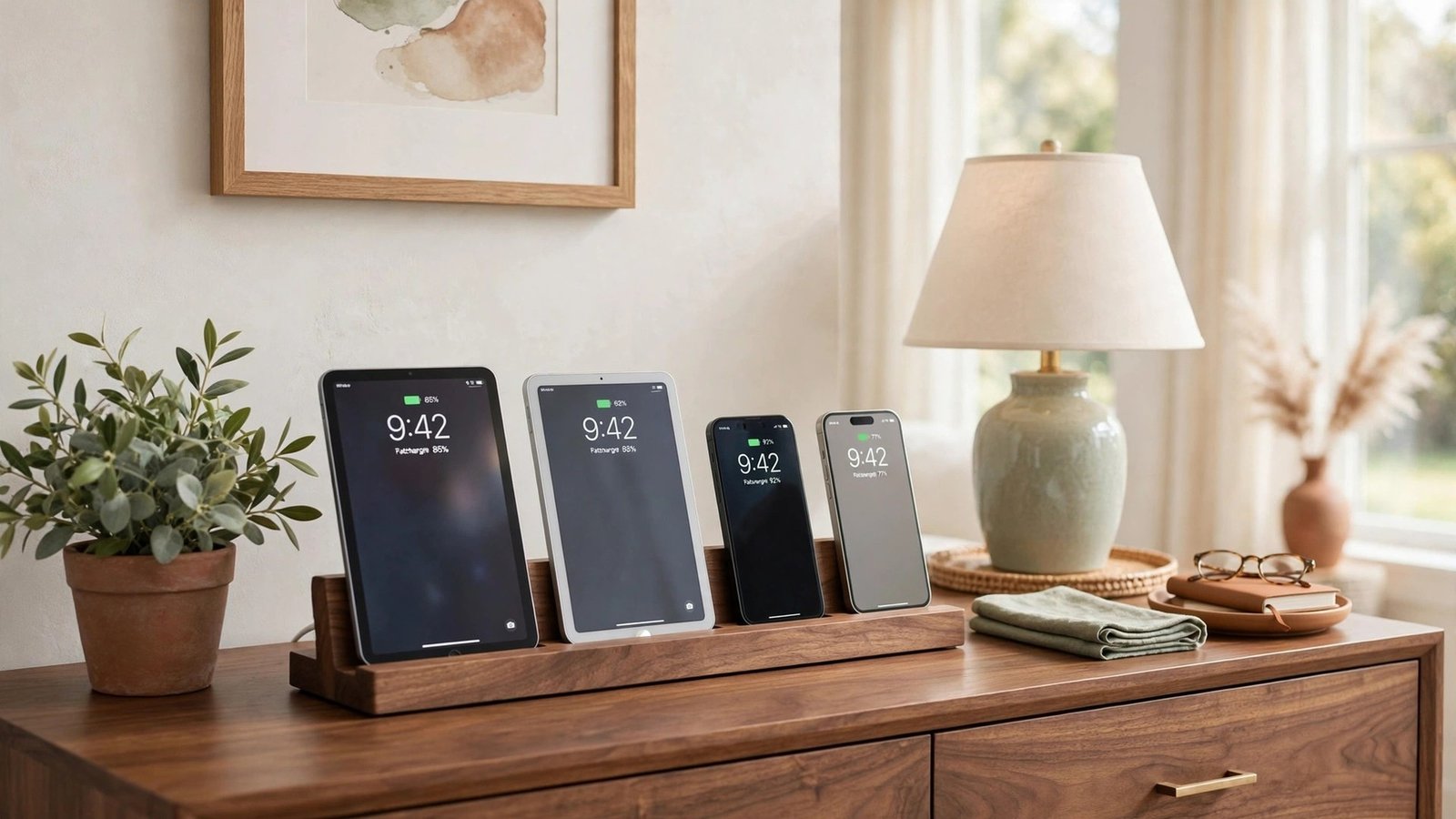
Every home has one: the tangle of chargers behind the couch, the pile of phones on the kitchen counter, the nightly hunt for a cable that actually works. With phones, tablets, watches, and earbuds all demanding power, charging chaos spreads fast.
A dedicated charging station brings that chaos to heel. You give every device a home, hide the cords, and always know where to find a full battery. These twenty-seven ideas will help you build a charging setup that fits your home and your daily habits.
1. Hide Chargers Inside a Kitchen Drawer
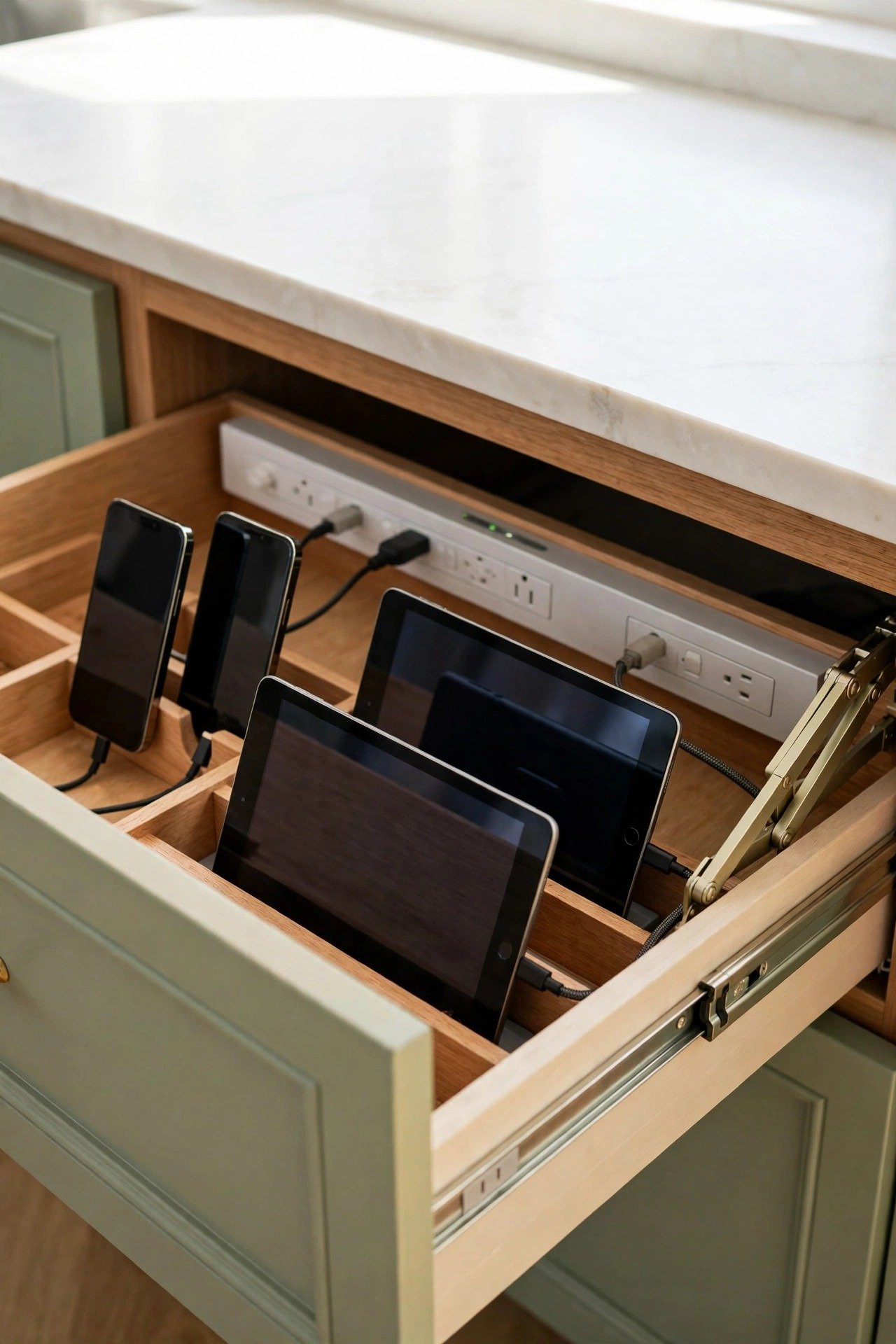
A dedicated power outlet inside a kitchen drawer hides your tech clutter behind closed doors. Phones and tablets charge out of sight while your beautiful countertops stay completely clear. Most setups use a specialized folding arm to protect the cord as the drawer slides in and out.
Add dividers inside the drawer so each device has its own slot during the charging cycle. This is a perfect solution for the busiest room in the house, where counter space is always at a premium. Close the drawer and the whole mess disappears.
2. Create an Entryway Drop Zone Station
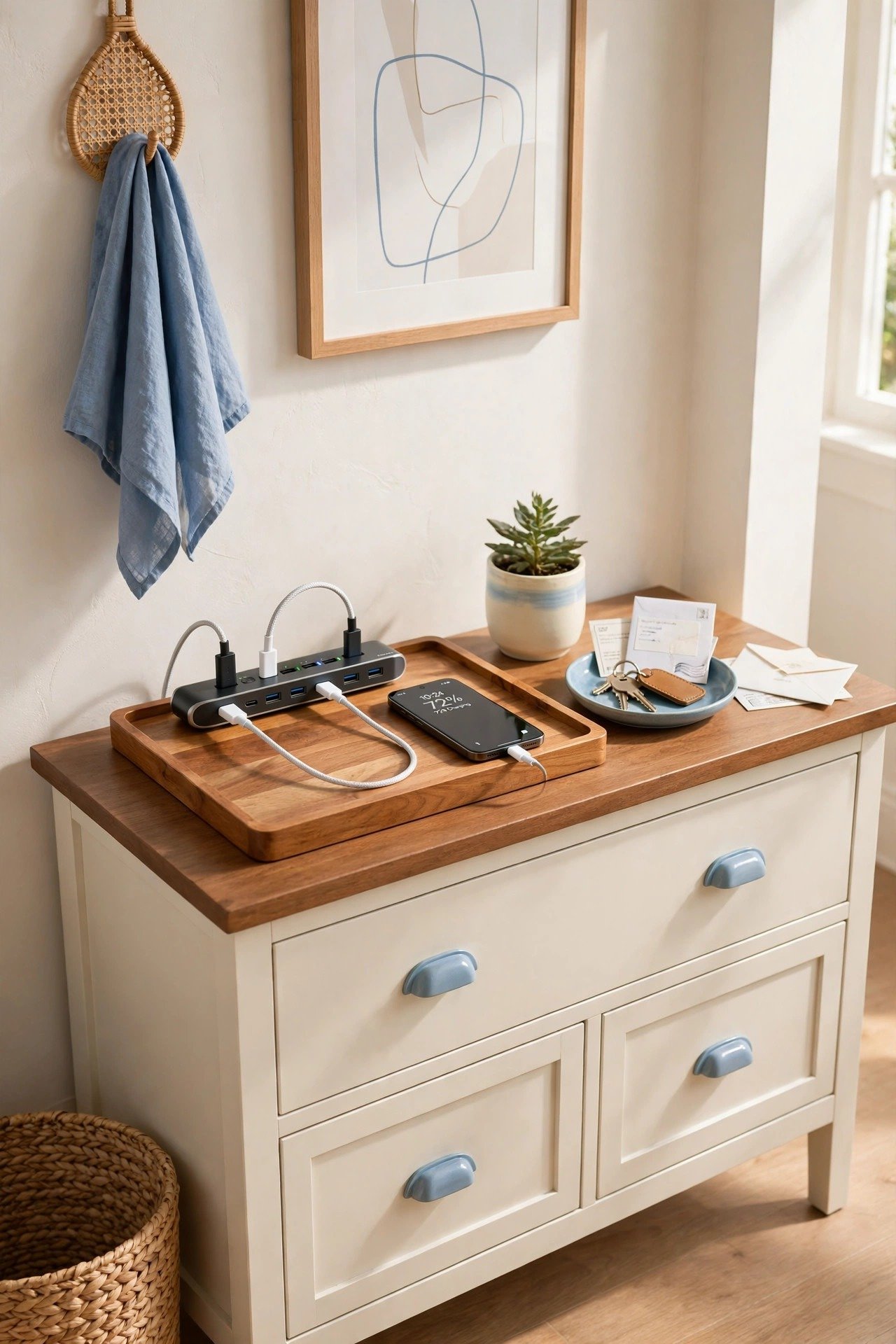
The entryway is the first place you land when you come home, which makes it the natural spot for a device drop. A small console table with a multi-port USB hub creates a landing pad that reminds you to plug in immediately. Your phone charges while you settle in, so it is ready before your next outing.
Style the station with a tray for keys and a small dish for mail so the whole zone stays functional. This habit turns a messy pile of devices into an intentional design feature. Guests will appreciate the thoughtful setup too.
3. Tuck a Dock Into Your Nightstand Drawer
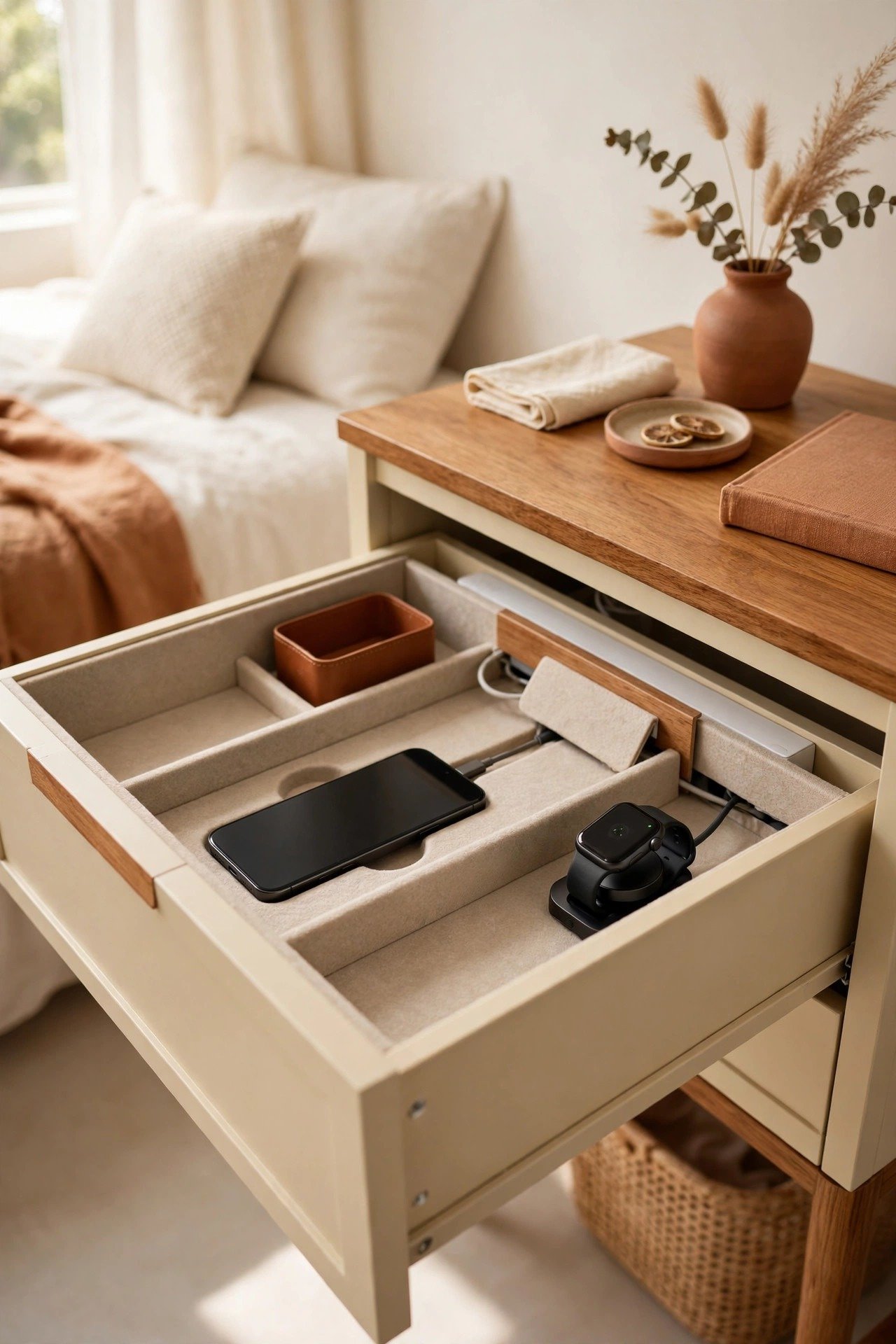
Tangled cords on a bedside table can ruin the peaceful vibe of your bedroom. A hidden dock built into the top drawer of your nightstand keeps everything plugged in but out of sight. It also hides the bright LED lights of charging devices that might disturb your sleep.
Drill a small hole in the back of the drawer to pass a slim power strip through. Your alarm clock and phone stay accessible but invisible. This simple upgrade creates a calmer environment for better rest without giving up modern convenience.
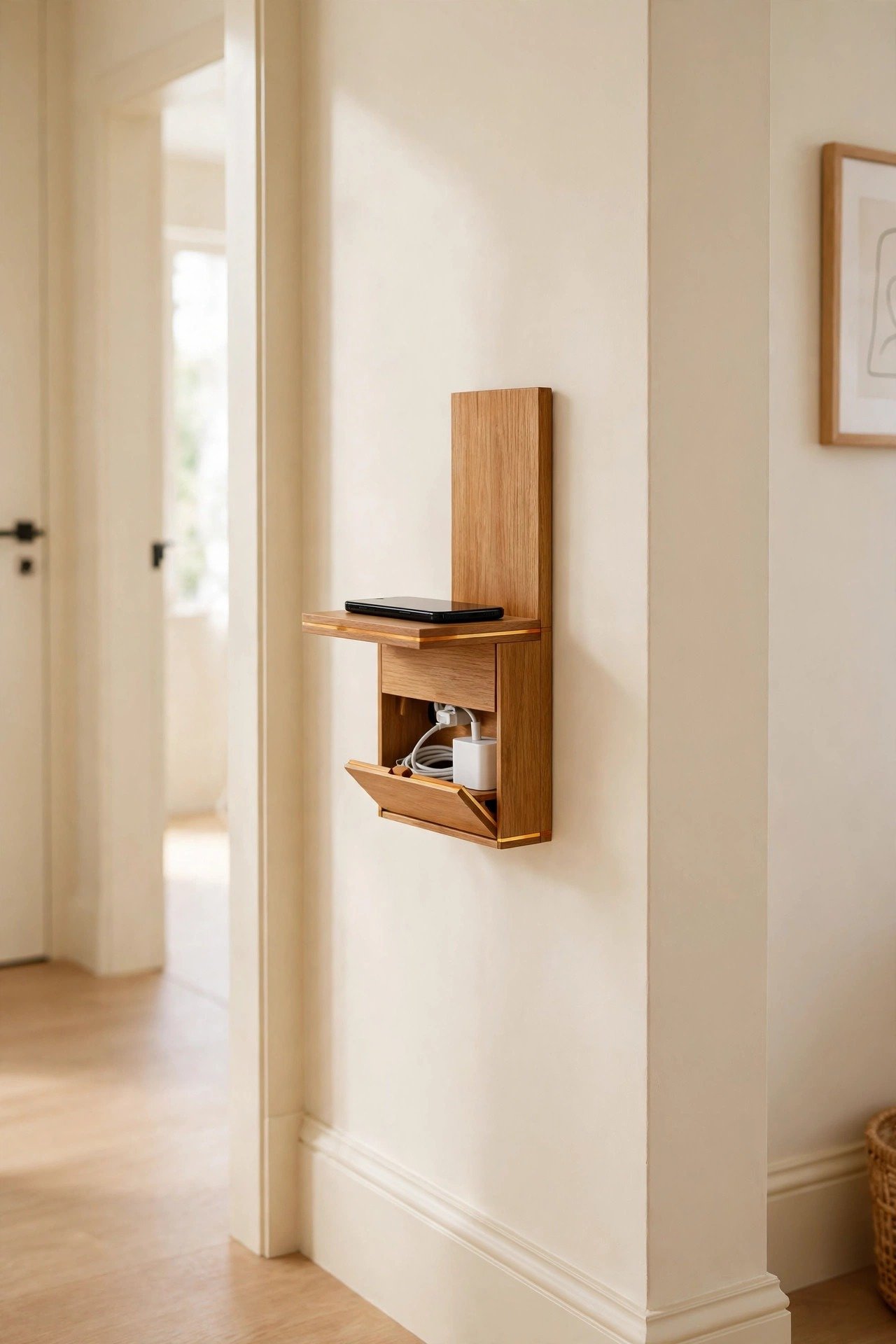
4. Mount a Slim Charging Shelf on the Wall
When floor space is tight, a small wall-mounted shelf lifts your charging station off the furniture entirely. These compact units often include a built-in groove or hidden compartment for excess cord length and power adapters. They work beautifully in hallways, small offices, or beside a kitchen island.
Choose a finish that matches your wall color or wood trim so the shelf blends into the architecture. Using vertical space keeps surfaces open for decor and prevents the dreaded tech pile from forming on tables and desks.
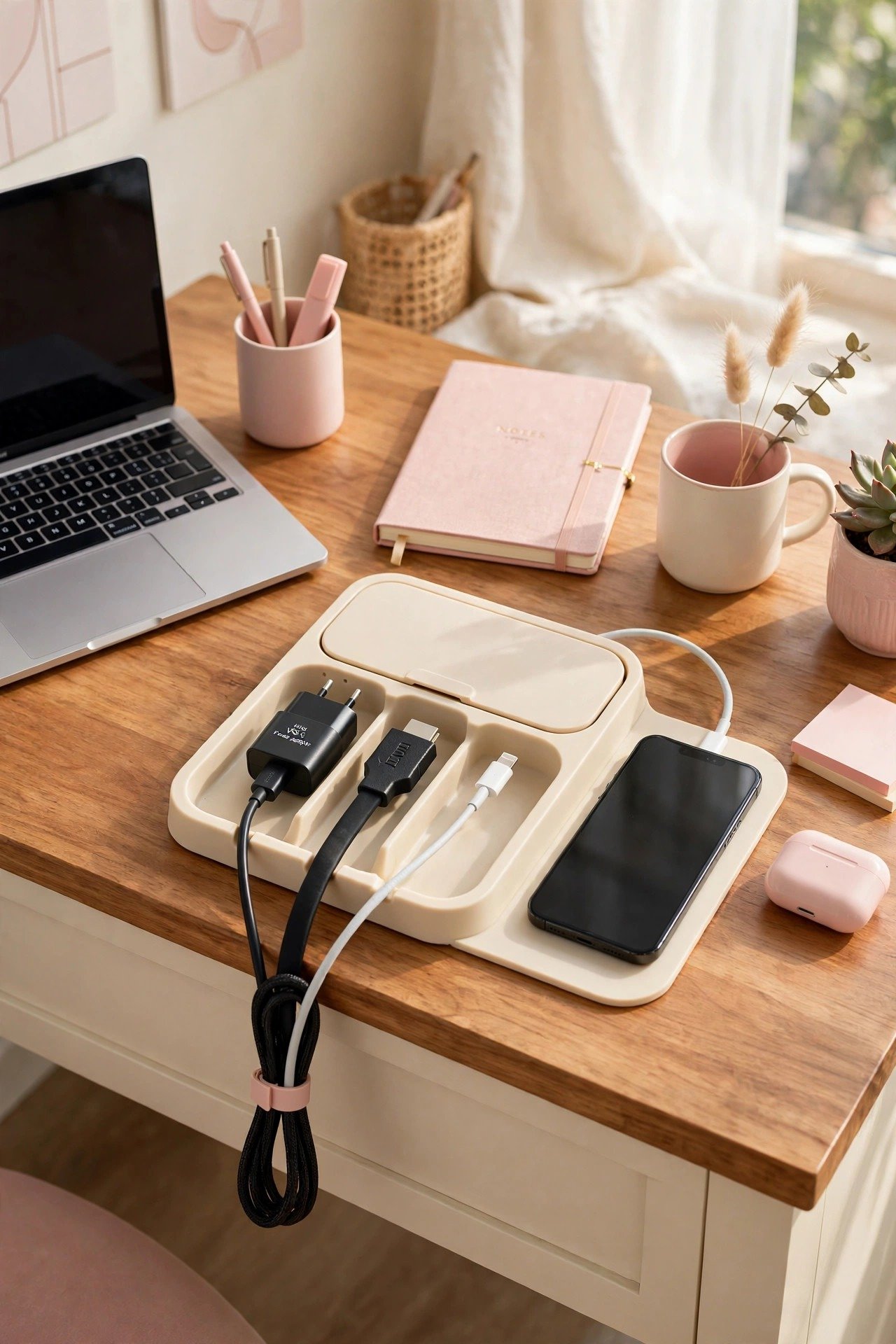
5. Control Desk Cables With a Management Hub
A busy home office quickly becomes a maze of laptop chargers, monitor cables, and phone cords. A dedicated cord management hub gathers all those wires into one central tray, box, or clip system. Swapping devices or moving your laptop becomes painless when you are not fighting a knot.
Pick a hub that matches your desk material for a high-end look. A tidy desk helps you focus on your work instead of the visual noise. This one upgrade can transform your home office from chaotic to calm in a single afternoon.
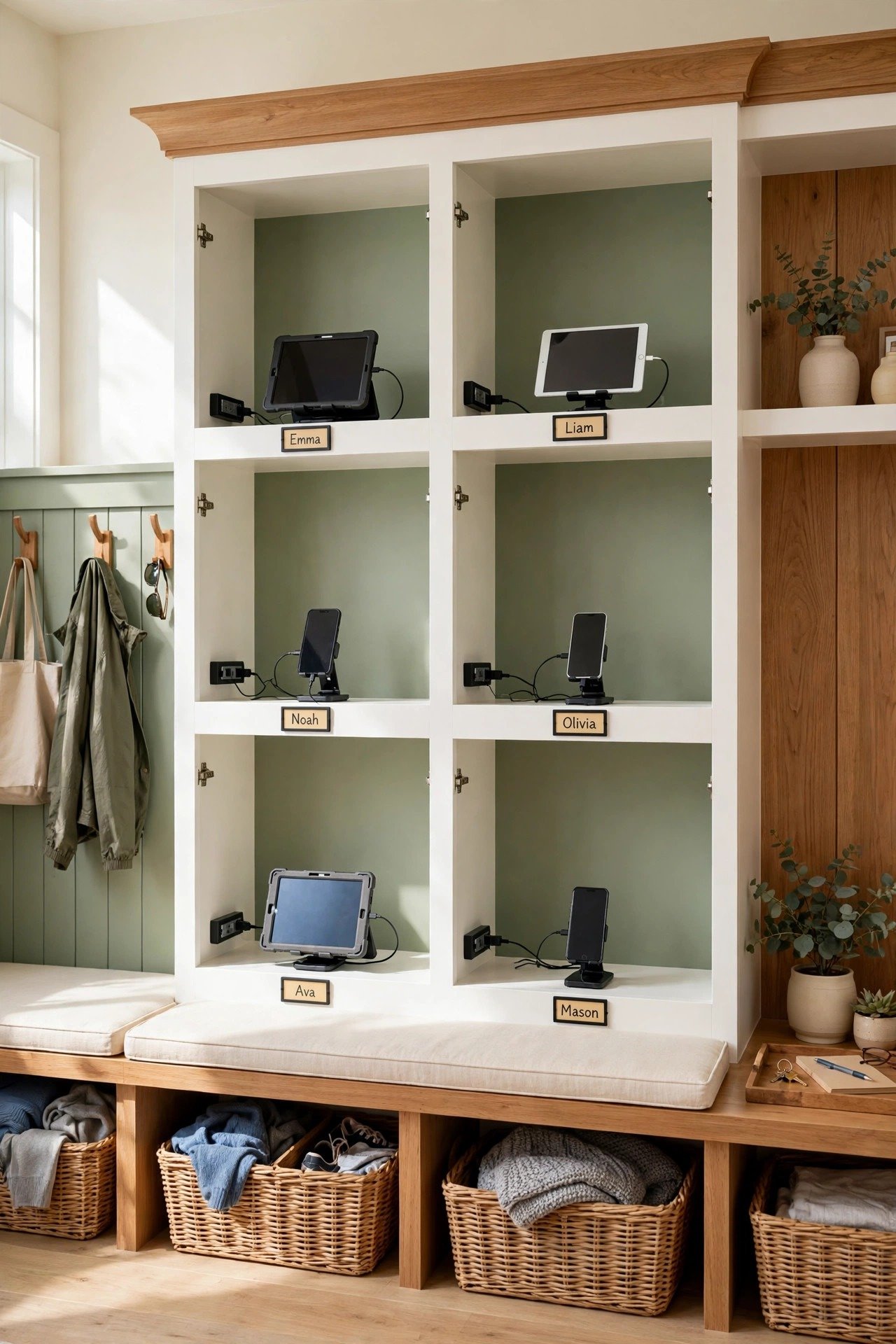
6. Power Devices Inside Mudroom Lockers
Families with kids benefit enormously from individual power ports inside mudroom lockers or cubbies. Children learn to dock their school tablets and phones the moment they walk through the door. Each family member gets a personal charging spot, which ends the daily hunt for a missing charger.
Install a small power strip in each locker section and label the slots. This creates a central tech garage that keeps expensive school electronics away from high-traffic areas. Your mudroom becomes the hardest-working room in the house.
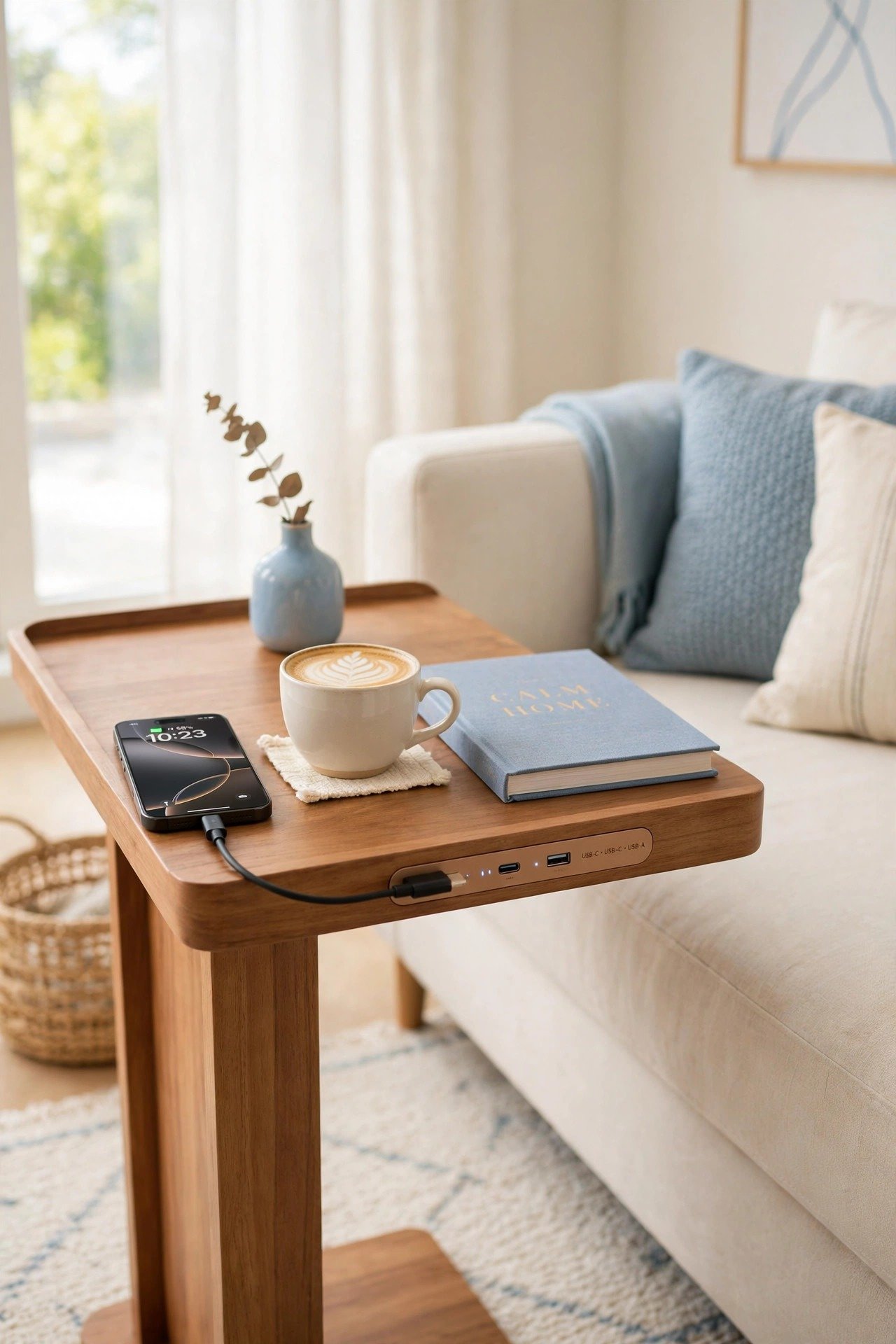
7. Charge From a Sofa Side Table With USB
Sofas that float in the middle of a room often sit far from wall outlets. A side table with built-in USB ports or a hidden power strip solves the dying-battery problem during movie nights. You charge your phone while you relax, without stretching cords across the floor.
This setup is much safer because it eliminates tripping hazards for guests and family. Many stylish end tables hide powerful tech features inside traditional-looking furniture. It is a subtle way to keep the living room functional for everyone.
8. Float a Wireless Shelf in the Entryway
A floating shelf with a built-in wireless charging pad powers your phone the moment you set it down. No cables sit on the shelf surface, which keeps the look clean and sleek. Decorate the rest of the shelf with small plants or artwork so the technology feels like part of your decor.
This makes a wonderful first impression for guests entering your home. The minimalist, airy design suits modern interiors perfectly. It is equal parts conversation piece and practical daily tool.

9. Mount a Slim Charger Under the Cabinet
The space beneath your upper kitchen cabinets is often wasted, and it makes a perfect hidden charging hub. Mount a slim power strip or a tablet cradle to the underside to keep tech off the counters. Devices stay protected from flour dust and water splashes while you cook.
A tablet mounted here sits at eye level for following digital recipes or watching videos while you prep meals. Your work surfaces stay clear for actual food preparation. This clever trick is a lifesaver in small kitchens with limited counter space.

10. Hide a Hub in a Living Room End Table
Some end tables feature a flip-top lid that reveals a hidden compartment for all your charging needs. Bulky laptop bricks and extra-long cables live inside, invisible to guests. Close the lid and the table looks like an ordinary piece of fine furniture.
This gives visitors a convenient place to plug in without hunting for outlets behind the sofa. Choose a table that matches your room’s style so the hub blends in completely. Hospitality and organization meet in one smart piece of furniture.

11. Add Power Inside an Office Cabinet
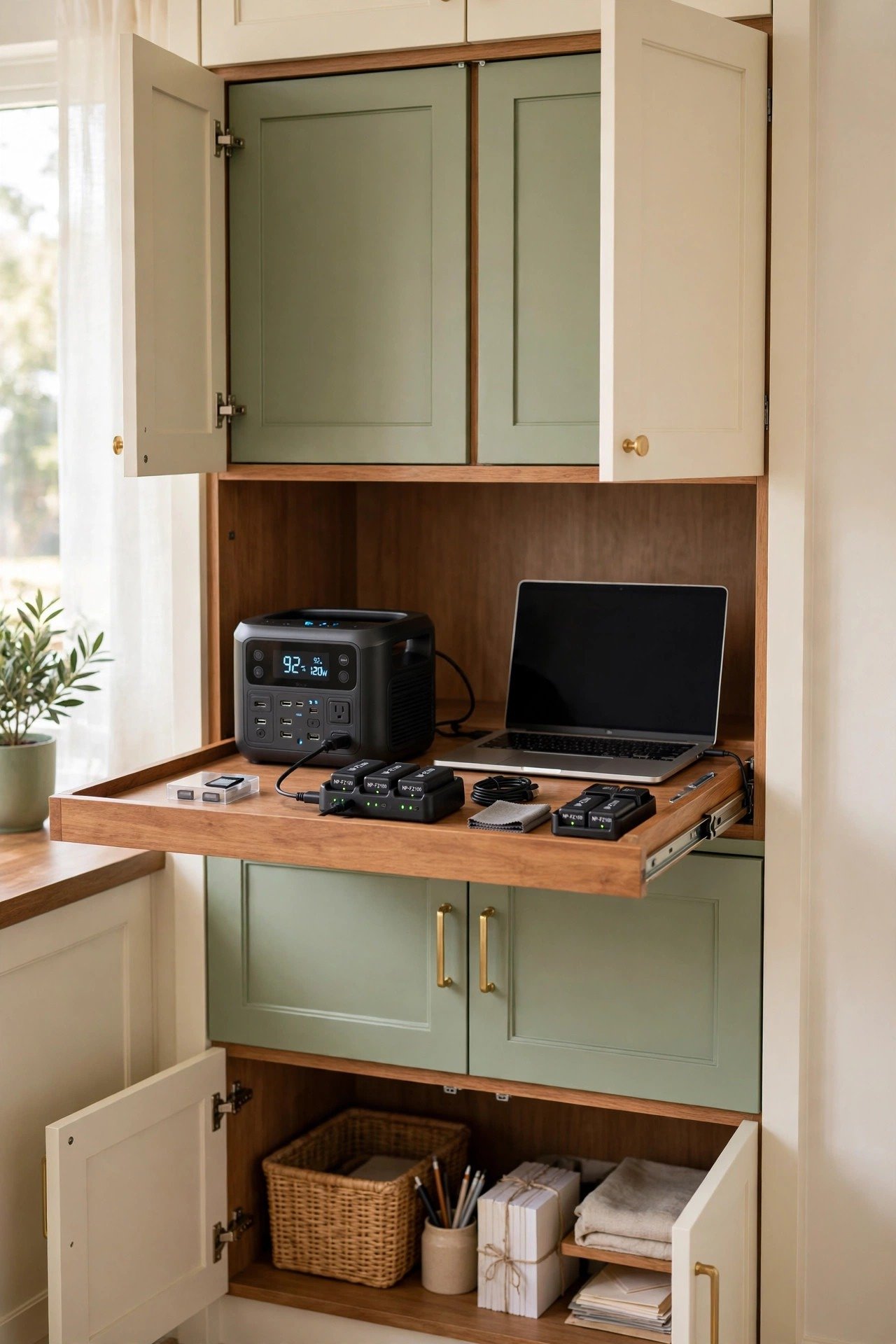
If your home office has built-in cabinetry, consider adding a hidden power station inside a lower cupboard. Larger items like printers, laptops, and camera batteries charge out of sight instead of crowding your desktop. Pull-out trays make the devices easy to reach when they finish charging.
Hiding the clunkiest technology keeps the visual weight of the room light and airy. Built-in solutions like this add real value and function to a modern workspace. Your desk stays clear for actual work instead of doubling as a charging lot.
12. Set a Wireless Pad on the Nightstand
Wireless charging pads have become a bedroom staple because they offer such a clean experience. Instead of fumbling with tiny cords in the dark, you simply set your phone on a sleek pad. Many pads now come in high-end materials like leather, wood, or stone to match your nightstand.
Some designs sit flush with the furniture surface for a completely invisible look. This eliminates the rat’s nest of cables that usually lives behind the bed. Your nightly routine becomes calmer, and your bedroom looks effortlessly tidy.

13. Dock the Family Phones on a Console Table
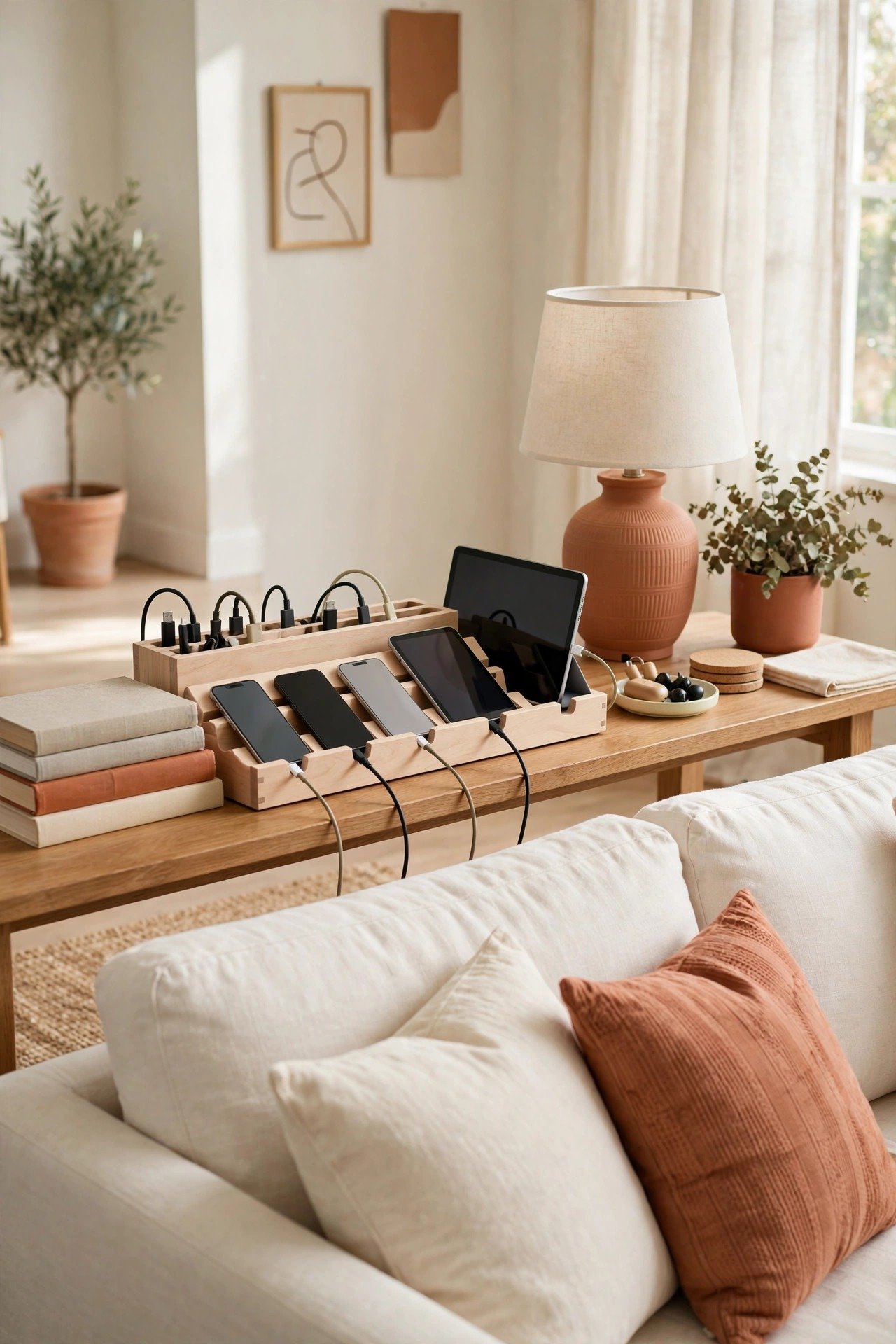
A long console table behind the sofa makes a perfect communal charging dock for the whole family. A multi-device organizer in natural wood holds several phones and tablets in one place. Setting a rule that all tech lives here during dinner encourages real face-to-face time.
Style the table with lamps and books to disguise the charging components. The wooden organizer reads as a decorative accessory rather than office equipment. This station serves both social and practical goals in one elegant piece.
14. Charge Devices on a Closet Shelf
The primary closet is an overlooked spot for a charging station that keeps devices out of common living areas. A small shelf with an outlet powers your smartwatch and phone overnight, away from the temptation of late-night scrolling. Better sleep hygiene starts with screens far from the bed.
This is also a great home for fitness trackers and portable speakers you grab during your morning routine. Charging alongside your accessories means you collect everything in one motion as you get dressed. Your mornings and evenings both get simpler.

15. Organize Devices in a Wooden Dock
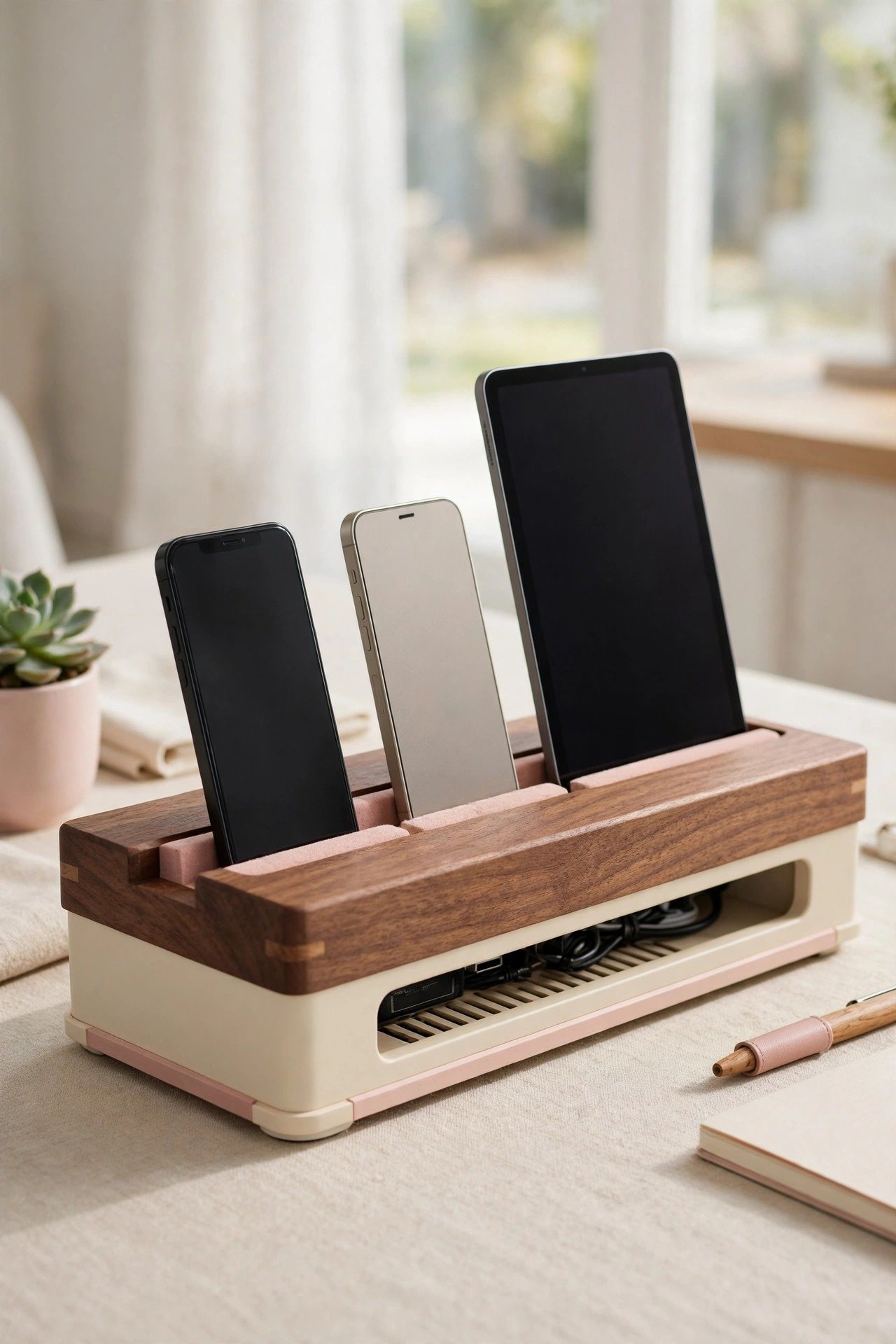
A handcrafted wooden organizer brings warmth to your tech setup while managing multiple gadgets. Slots hold tablets and phones upright so you can see notifications as they arrive. A hidden base conceals the USB hub and all the messy excess wiring underneath.
Choose quality wood like walnut or oak so the piece feels like fine furniture. This is an ideal desktop or countertop solution for anyone with several devices who dislikes plastic tech accessories. Warmth and order arrive in a single beautiful object.
16. Hide the Family Hub in the Pantry
A walk-in pantry or kitchen larder makes a surprisingly natural home for a family charging center. Add a power strip to one of the middle shelves and tablets and laptops stay off the dining table and kitchen island. Close the pantry door and the entire tech collection vanishes when guests arrive.
This keeps kids from getting distracted by devices during homework or chores. Since the pantry already serves as storage, the hub feels perfectly at home there. Pair this setup with your pantry organization so food and tech each have clear zones.

17. Build a Hallway Tech Command Center
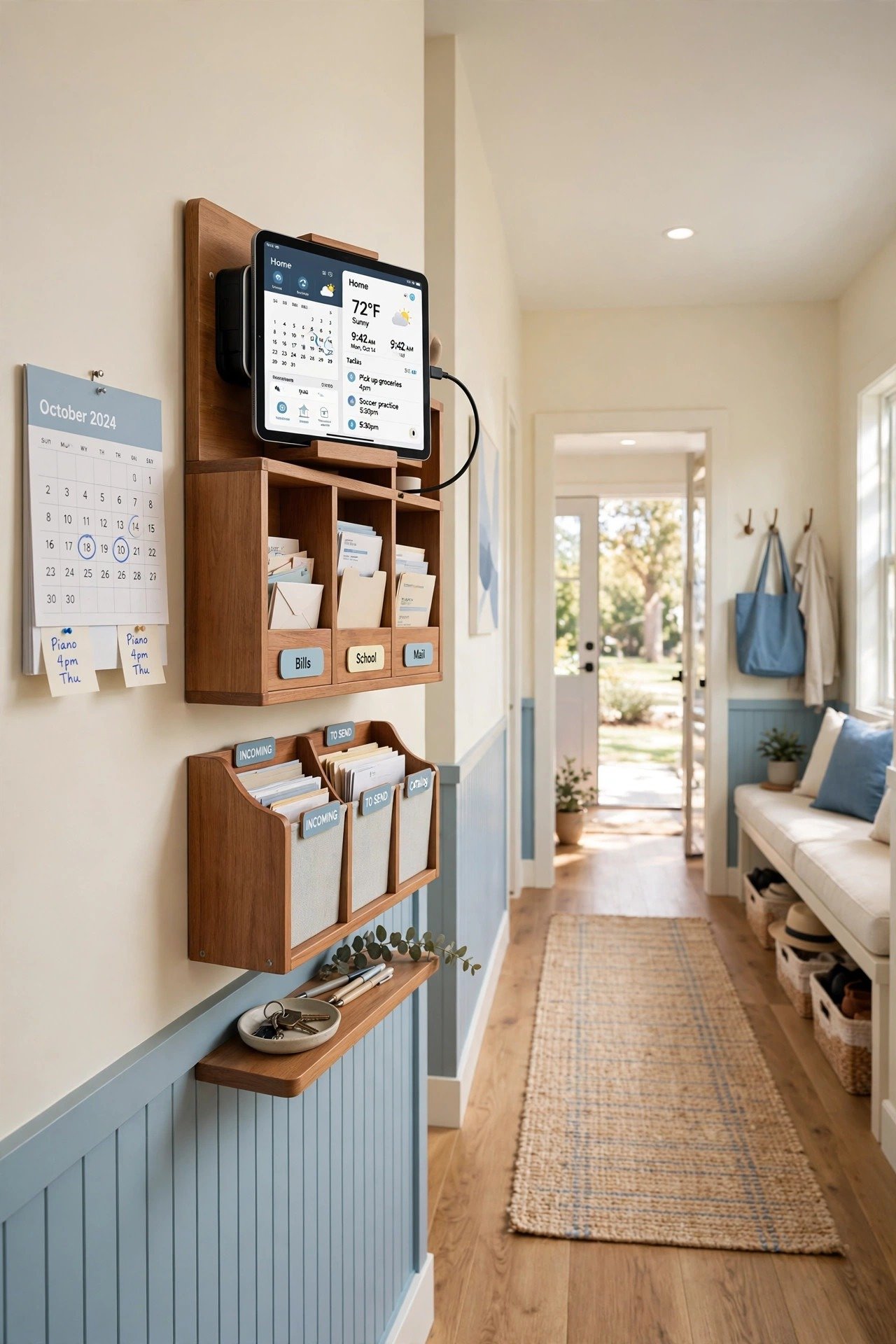
A hallway command center combines a calendar, a mail sorter, and device charging in one high-functioning zone. A wall-mounted organizer with built-in power keeps the rest of the house tidy by centralizing the family’s tech. This is the ideal home for the shared tablet that controls smart home settings.
Everyone can reach it without entering private bedrooms or the kitchen work zone. A dedicated command center reduces both mental load and physical clutter. Your hallway transforms from a pass-through into the brain of the home.
18. Fold a Station Down in the Laundry Room
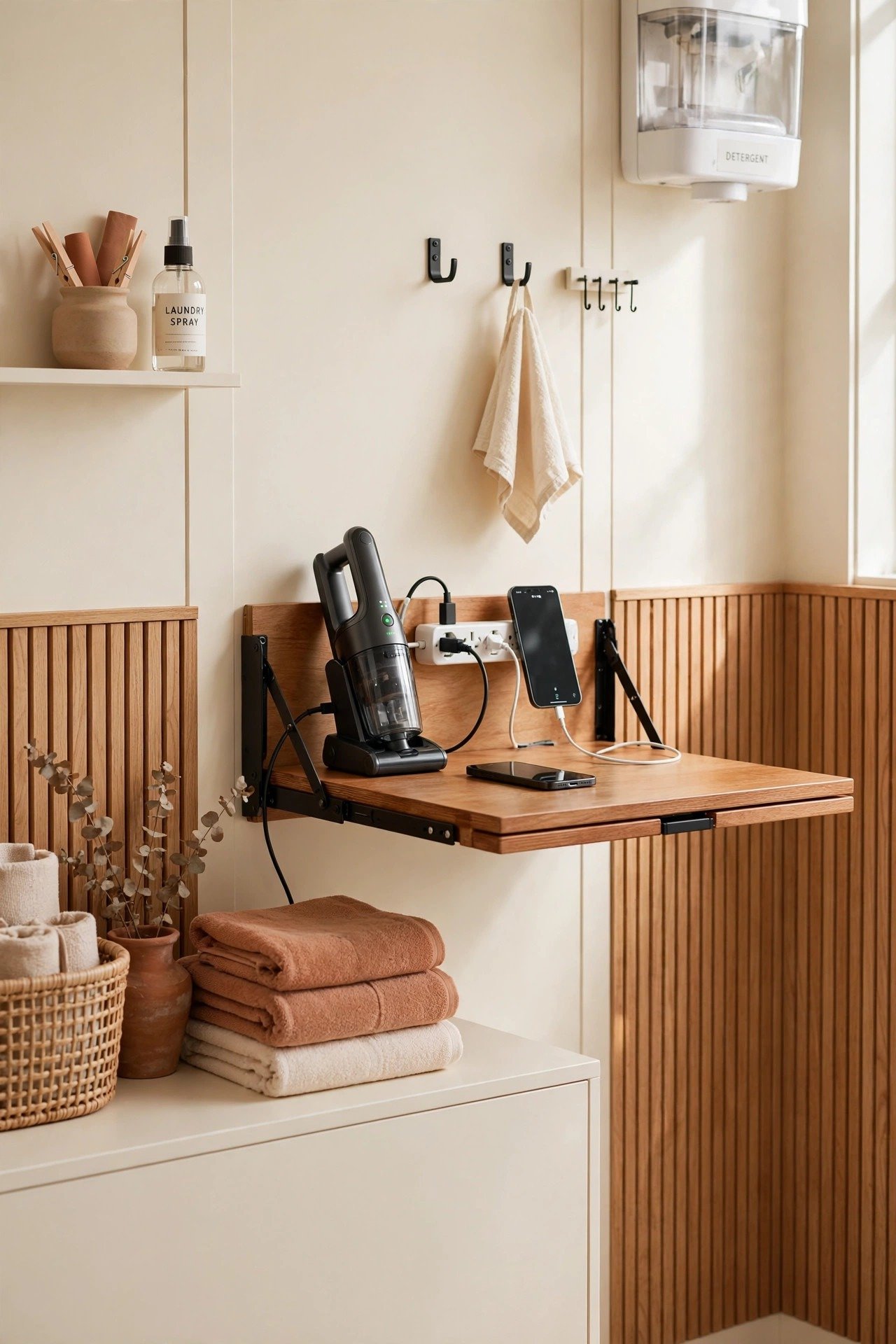
The laundry room is a surprisingly good spot for a small tech hub, especially for items that charge infrequently like handheld vacuums. A fold-down wall desk gives you a temporary surface for plugging in devices while you sort or fold. When you finish, the desk folds flat against the wall.
This keeps technology away from main living areas where it might get knocked over. It is also a quiet place to set up a laptop for a few minutes while a cycle runs. Your laundry room earns its keep as a true utility space.
19. Wire a Power Drawer in the Bathroom Vanity
Bathroom clutter often includes electric toothbrushes, razors, and hair tools with annoying cords. A power outlet inside a vanity drawer keeps these items plugged in and ready without covering the counter. It also keeps electronics away from sink water for better safety.
Specialized vanity outlets handle bathroom moisture while providing multiple ports for grooming tech. Removing the visual noise of charging bases creates a spa-like feel. This is a high-end upgrade that makes any modern bathroom feel instantly calmer.

20. Turn a Window Seat Into a Charging Nook
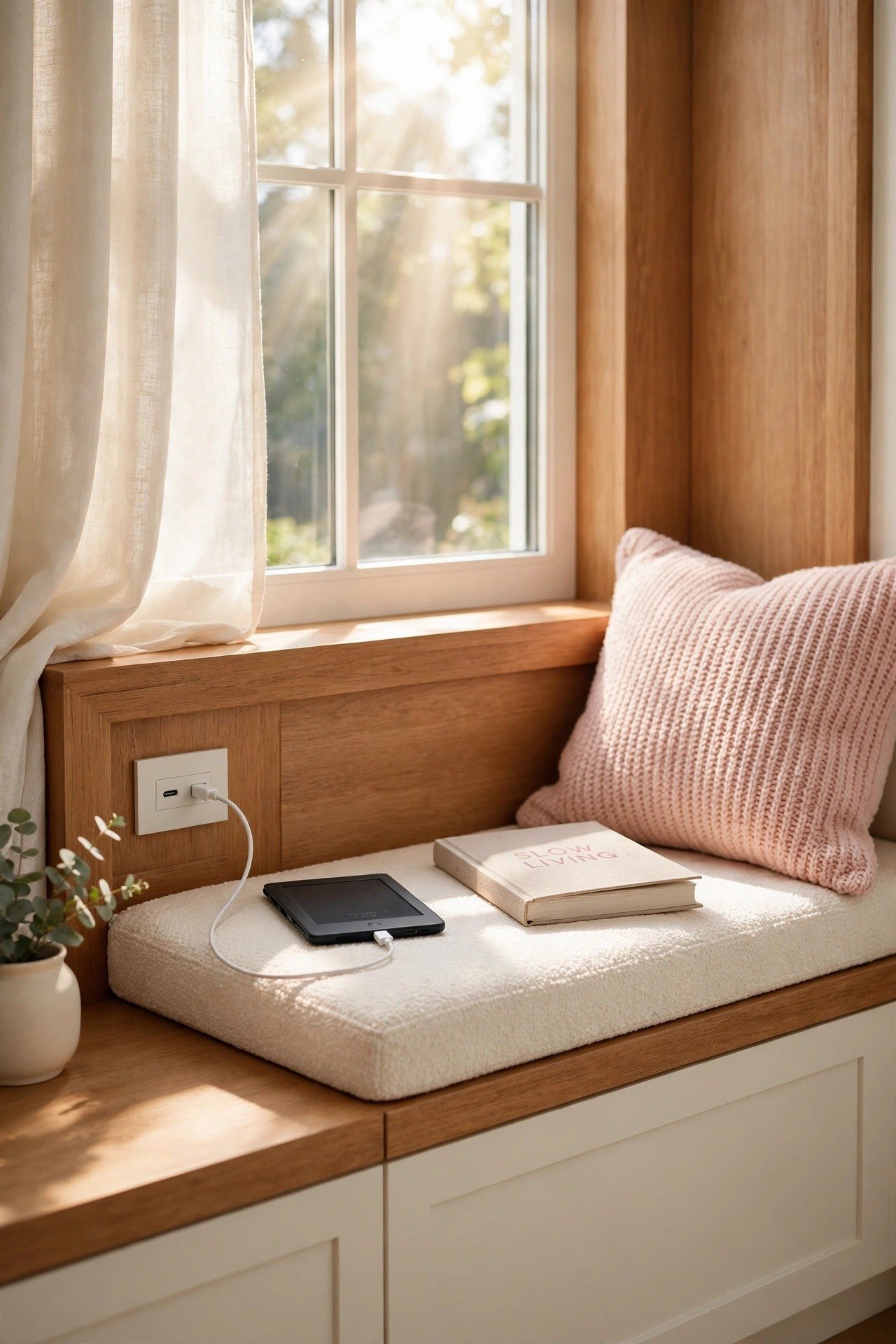
A cozy window seat is a favorite reading spot, which makes it prime real estate for a hidden outlet. Install a small pop-up outlet or a recessed USB port into the side of the built-in bench. You can charge your e-reader or phone while enjoying the natural light without leaving your comfortable perch.
Hide the outlet behind a throw pillow when it is not in use to keep the traditional look. This turns a simple architectural feature into a high-tech relaxation zone. Comfort and connectivity blend perfectly in one beloved corner.
21. Hide a Tech Hub Inside an Armoire
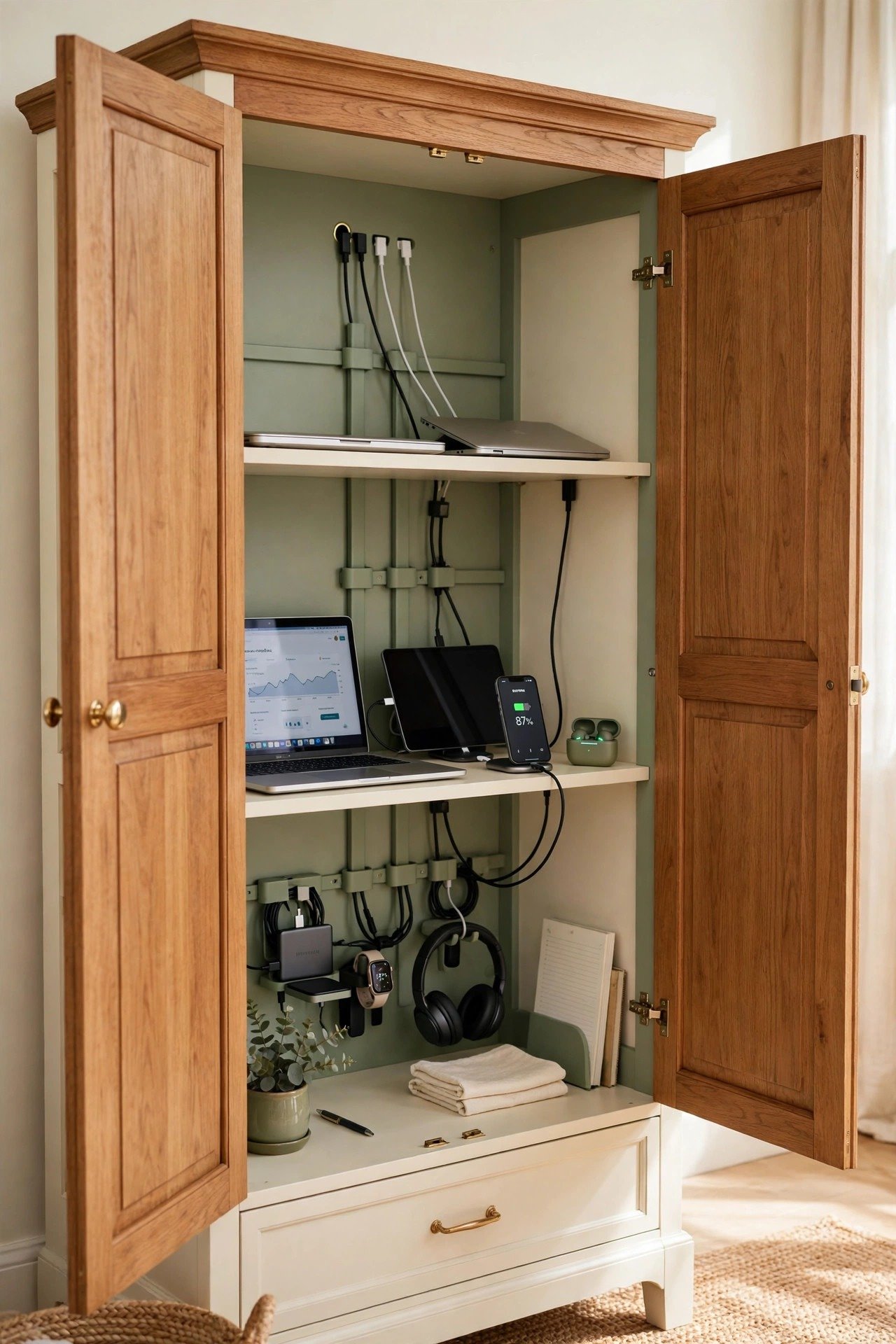
An armoire can become a massive hidden tech hub that houses everything from laptops to gaming consoles. Drill access holes in the back panel to run power to every shelf inside. Close the doors and the nerve center of your home technology disappears completely.
This is an excellent choice for open-concept living rooms where you do not want a desk as the focal point. The armoire provides generous space for larger items behind beautiful wood doors. It is a stylish way to manage a heavy tech load without visual clutter.
22. Manage Cables on a Standing Desk
Standing desks move up and down, which makes cable management a real challenge. A dedicated cable management box attached under the desk keeps all power bricks traveling with the surface. Cords never get pulled or disconnected as you switch between sitting and standing.
These boxes usually feature multiple exit points for your various device cables. Lightweight metal designs stay sturdy without adding bulk. Your workspace stays clean and safe at every height, making this an essential ergonomic accessory.

23. Welcome Guests With a Bedside Dock
A dedicated charging spot in the guest room is a thoughtful touch that makes visitors feel at home. A small bedside tray with a multi-headed charging cable powers any phone brand your guests might carry. They never have to dig through luggage or search behind heavy furniture for an outlet.
Place the dock on the nightstand alongside a card with the Wi-Fi password for a complete welcome experience. This small gesture shows you have considered their needs. It is the ultimate hospitality upgrade for any guest room.

24. Set Up a Tablet Station in the Playroom
A playroom tablet station manages the devices kids use for school and entertainment. A sturdy wall-mounted docking area keeps expensive tablets safe from being stepped on or spilled on. Brightly colored organizers make the station look fun so kids actually use it properly.
Parents can easily monitor device use and enforce put-away times with one central location. This setup teaches children responsibility for their tech. It also keeps the playroom floor free of tripping hazards from long cords.

25. Power Controllers in the Media Cabinet
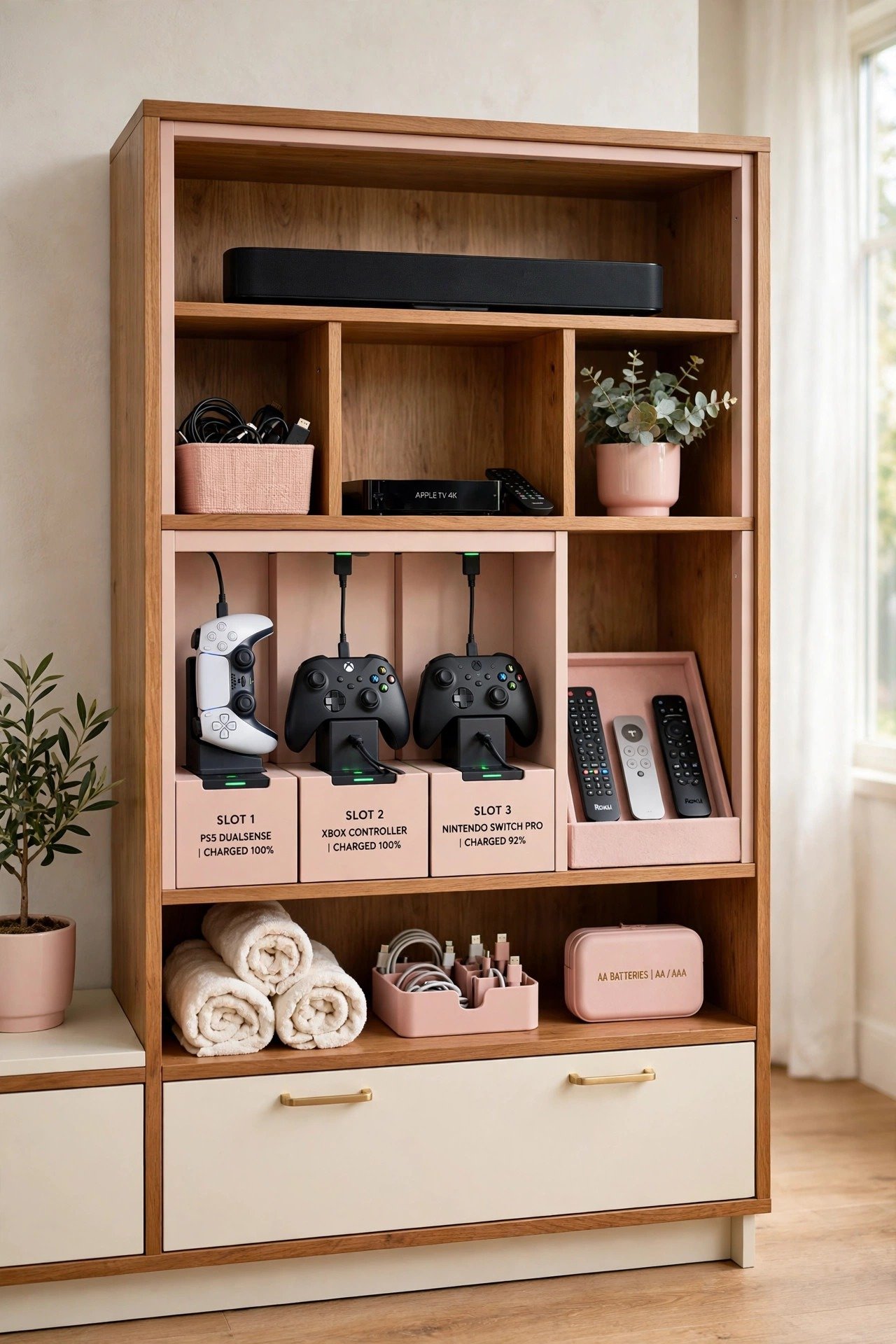
The home theater is the most tech-heavy room in the house and needs a robust power solution. A quality media cabinet with integrated fans and power strips keeps gaming controllers and remotes charged and organized. Specialized compartments stop controllers from rolling around on top of the cabinet.
This keeps the focus on the big screen instead of the pile of black plastic accessories. Good ventilation protects your expensive equipment from overheating. Movie nights look and feel professional when every controller has a home.
26. Build a Tech Station in the Basement Lounge
A basement lounge is a great place for a rugged, functional charging station for social gatherings. Build a charging dock into a bar-height table or side console so guests can power up during long visits. This is especially useful during sports games or movie marathons that stretch for hours.
Industrial-style materials like metal or reclaimed wood suit the casual vibe of a basement. Your guests stay connected while the main living areas stay clear of extra tech. It is a convenient service that makes every gathering smoother.

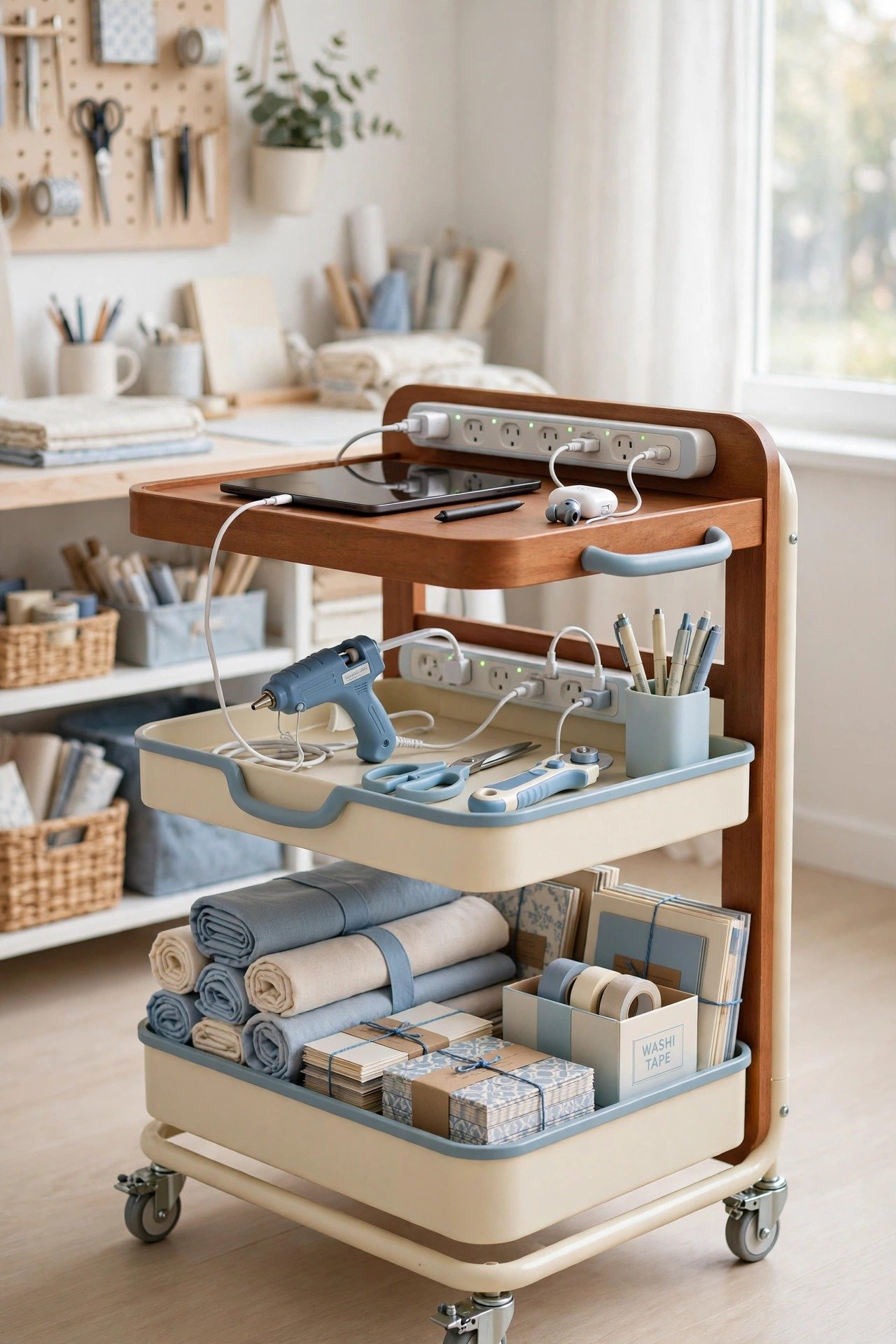
27. Roll a Charging Cart Through the Craft Room
Craft rooms fill up with devices like tablets, glue guns, and cutting machines that all need reliable power. A dedicated storage cart with a built-in power strip moves your tools to wherever you are working. This mobility is essential for large projects with separate cutting, gluing, and designing stations.
Keep your tablet plugged in for watching tutorials while you create. Rolling power keeps extension cords off the floor, which matters in a room full of fabric and paper. Your creative process becomes smoother, safer, and far more enjoyable.
Conclusion
A dedicated charging spot for your electronics is one of the simplest upgrades you can make to your home. Whether you hide chargers in a kitchen drawer or build a hallway command center, the goal is the same: no more tangled cords and no more dead batteries at the worst moment.
Think about where you naturally use your tech, and place power exactly there. Start with the room that frustrates you most, and work outward. Your home will feel calmer, your devices will stay ready, and you will wonder how you ever lived with the cable chaos.
Frequently Asked Questions About Charging Stations
Where is the best place to put a charging station?
Place charging stations where you naturally use your devices: the entryway for phones, the bedroom for overnight charging, and the kitchen drawer for daytime top-ups. One central family hub plus one bedside spot covers most households. Match the location to your daily habits, not to where an outlet happens to be.
How do I hide charging cables on a desk?
Mount the power strip under the desk, route cables through a tray or spine, and use adhesive clips to guide cords along the desk edge. A cable management box hides the bulky adapters. Keep only the cables you use daily visible, and coil the rest out of sight.
Is it safe to charge devices inside a drawer or cabinet?
Yes, as long as you use a proper in-drawer outlet kit and leave room for airflow. Choose kits with built-in surge protection and never overload a single outlet. Keep paper and fabric away from the power strip, and unplug the strip if you notice any warmth.
How can I organize chargers for a whole family?
Give each family member a labeled slot in a multi-device dock or mudroom locker station. Use one multi-port USB hub instead of five separate bricks. A single rule, such as devices dock at the console table during dinner, keeps the system working for everyone.
What is the easiest charging station for renters?
A wooden multi-device dock or a rolling cart needs no drilling and works in any room. Adhesive cable clips and a slim power strip handle cord control without wall damage. Choose furniture-based solutions so the whole station moves with you.

Hi, I’m Emily! I turn messy corners into cozy, organized spots. DreamNestDecor is where I share simple, practical home ideas — decor, organization, and small-space solutions that work in real life, not just in photos. Every idea here is carefully researched before it’s shared.