

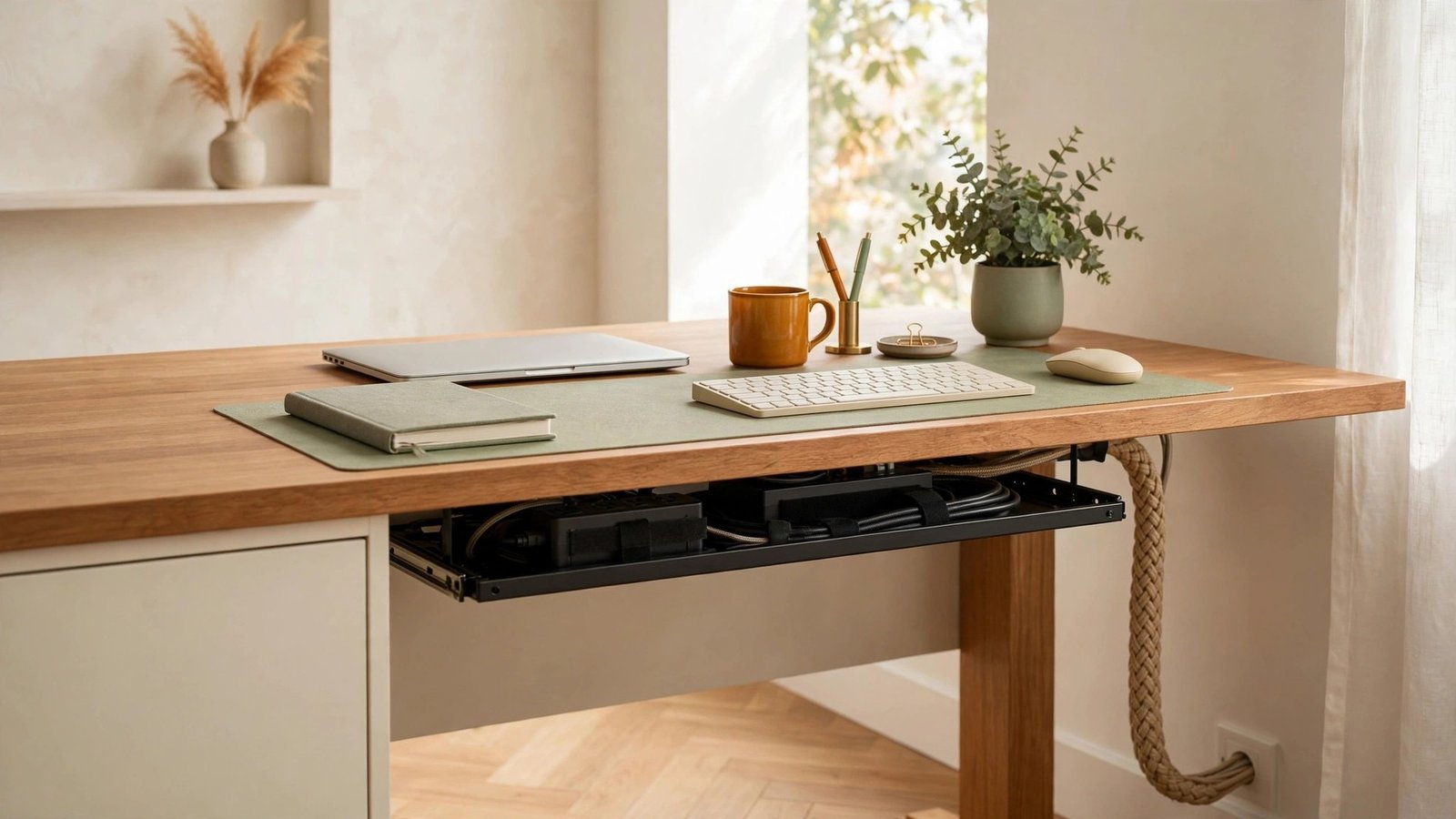
Look under your desk right now. If you see a tangled nest of black cables collecting dust, you are not alone. Every charger, monitor cord, and speaker wire adds to the mess until your home office feels chaotic no matter how tidy the rest of the room is.
Cable management is the quiet hero of an organized workspace. You do not need special skills or expensive tools, just a few smart products and one focused afternoon. These thirteen ideas will help you hide every wire and keep your home office looking clean.
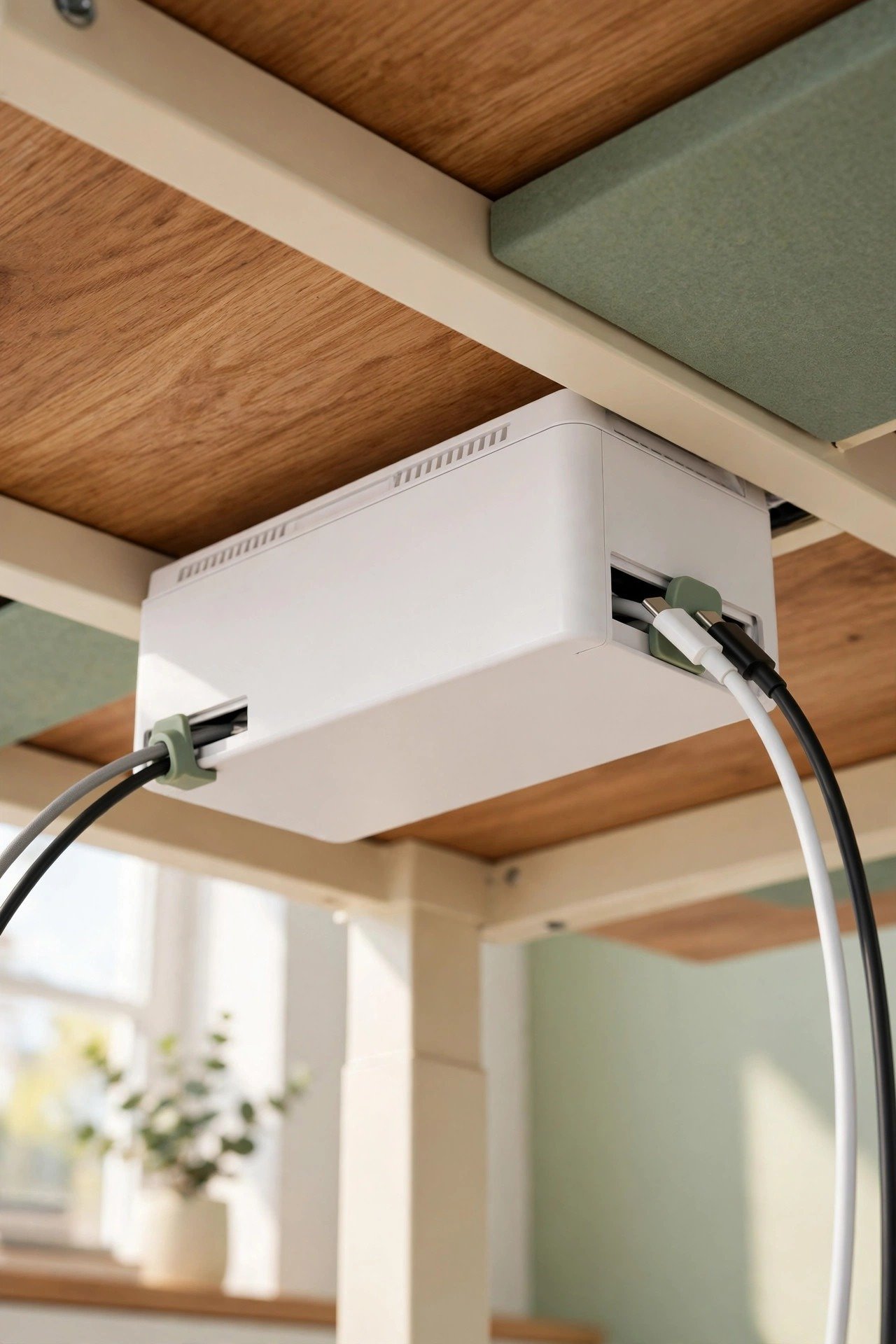
1. Hide the Mess in a Cable Management Box
A cable management box is the fastest win in this entire list. Drop your power strip and its tangle of adapters inside, close the lid, and the mess vanishes instantly. Only the cables you actually need exit through the side slots toward your devices.
Choose a box with ventilation holes so adapters stay cool during long workdays. Match the box color to your desk or floor so it blends into the background. This single product can hide ninety percent of your visible cable clutter.
2. Guide Cords With Adhesive Cable Clips
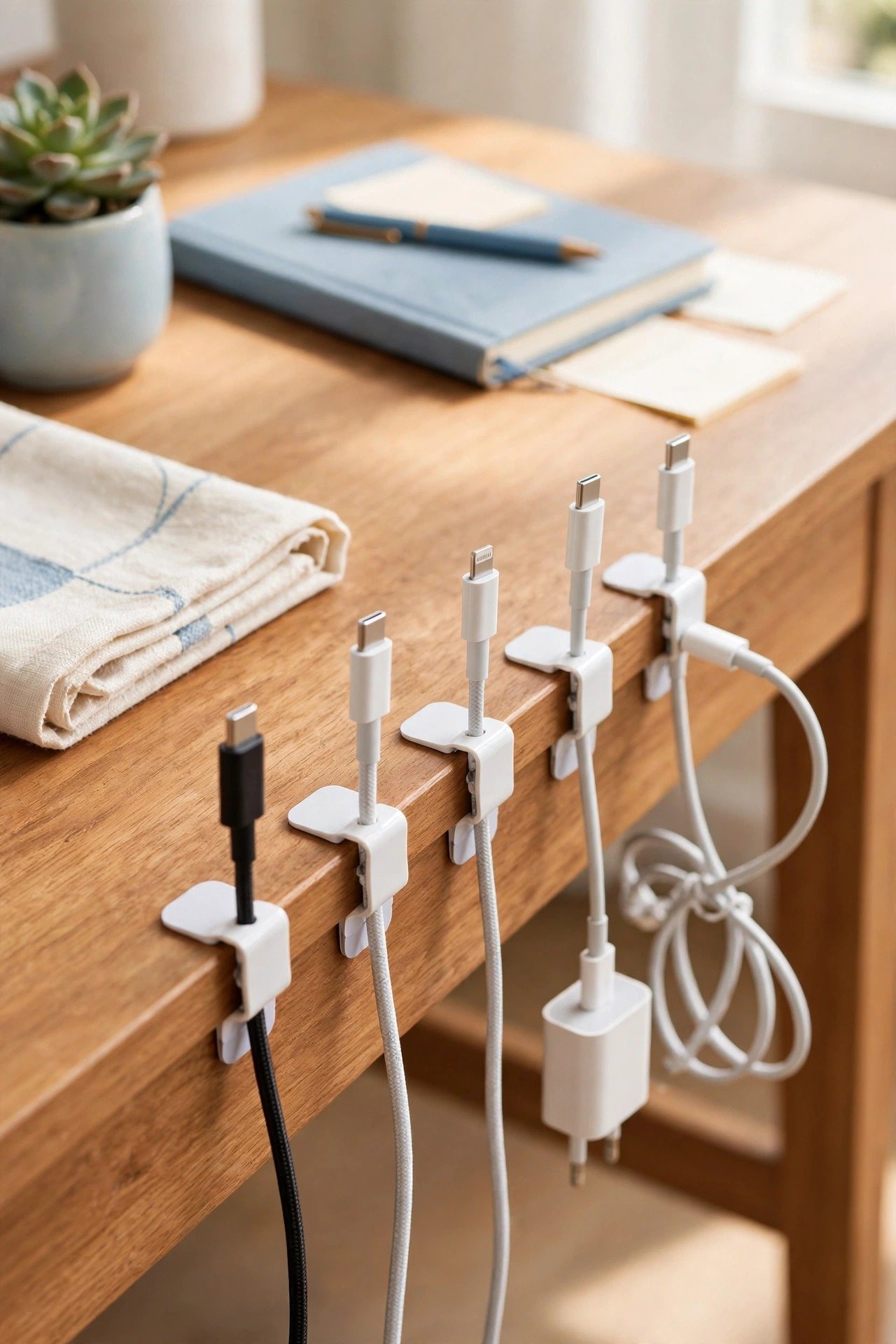
Small adhesive clips stick to your desk edge, wall, or monitor back and hold each cable in its own channel. No more phone charger sliding behind the desk every time you unplug it. Each cord stays exactly where you left it, ready to grab.
Plan your clip placement before you stick anything down. Route charging cables along the side you use most, and keep permanent cords like monitor cables along the back. This renter-friendly solution removes cleanly, which makes it perfect for rental homes.
3. Sleeve Tangled Wires Into a Braided Cover
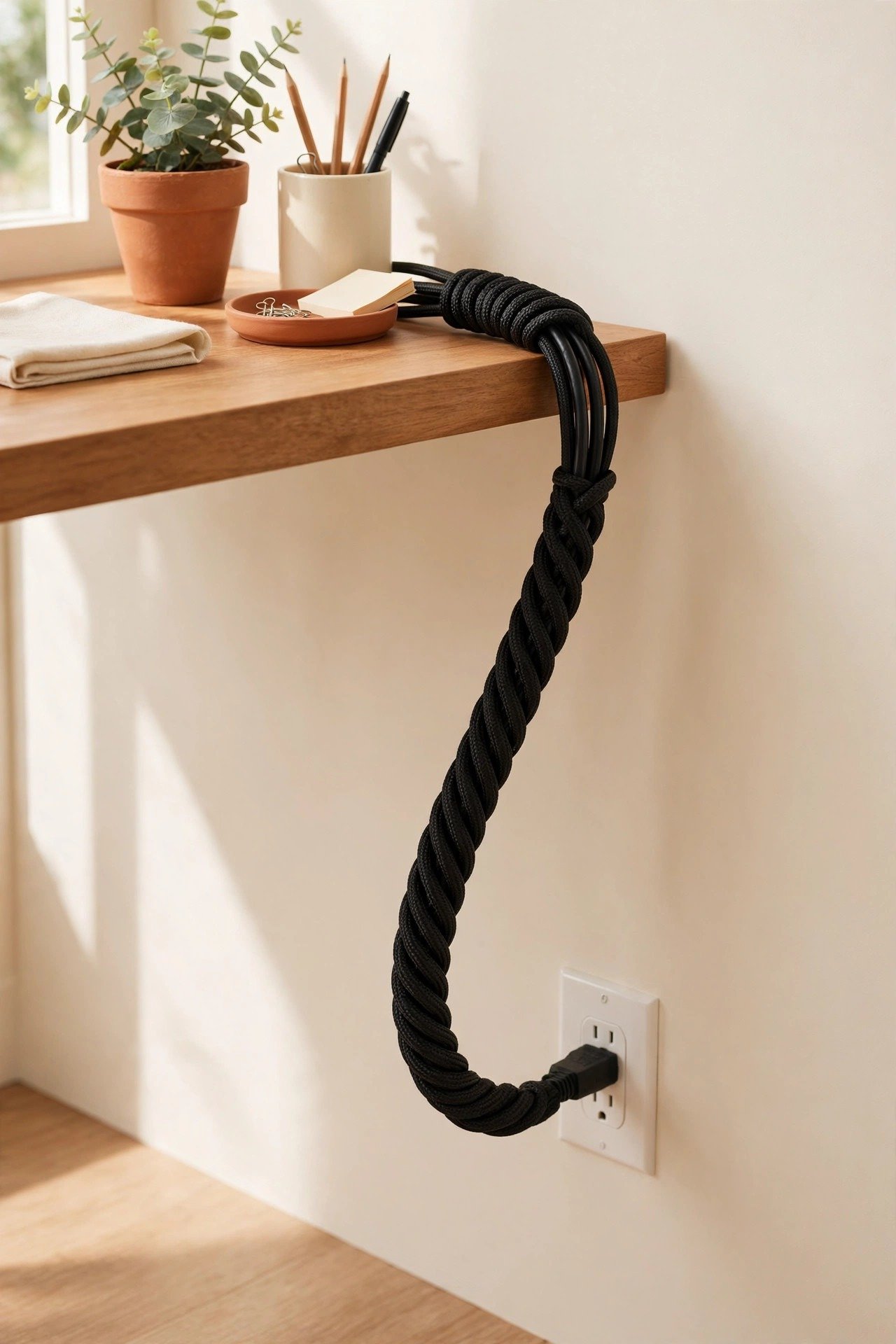
A braided cable sleeve wraps several loose wires into one neat bundle. It is ideal for the thick cluster of cords running from your desk to the wall outlet. The sleeve turns five messy cables into one tidy rope that looks intentional.
Pick a sleeve with a zipper or Velcro closure so you can add or remove cables later. Measure your bundle length before buying to avoid excess sleeve bunching up. This simple cover works wonders for TV consoles and desk setups alike.
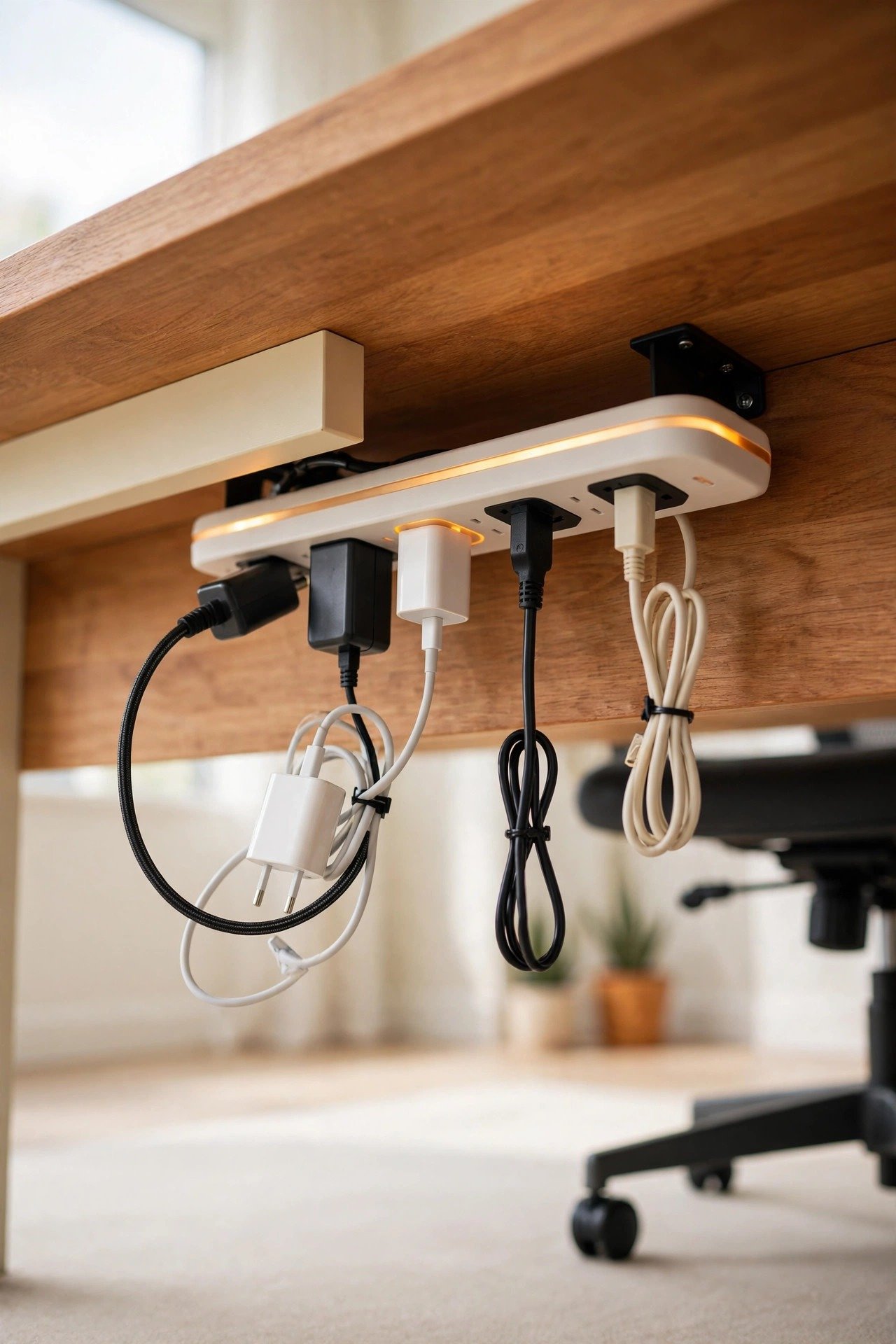
4. Mount the Power Strip Under the Desk
Screwing or sticking your power strip to the underside of your desk lifts every plug off the floor. Cables drop straight down from the strip to your devices instead of snaking across the carpet. Dust bunnies lose their favorite hiding spot too.
Leave a little slack in each cable so you can pull devices forward without unplugging anything. This trick pairs perfectly with a cable box for a fully hidden power setup. Your home office floor stays clear for your chair to roll freely.
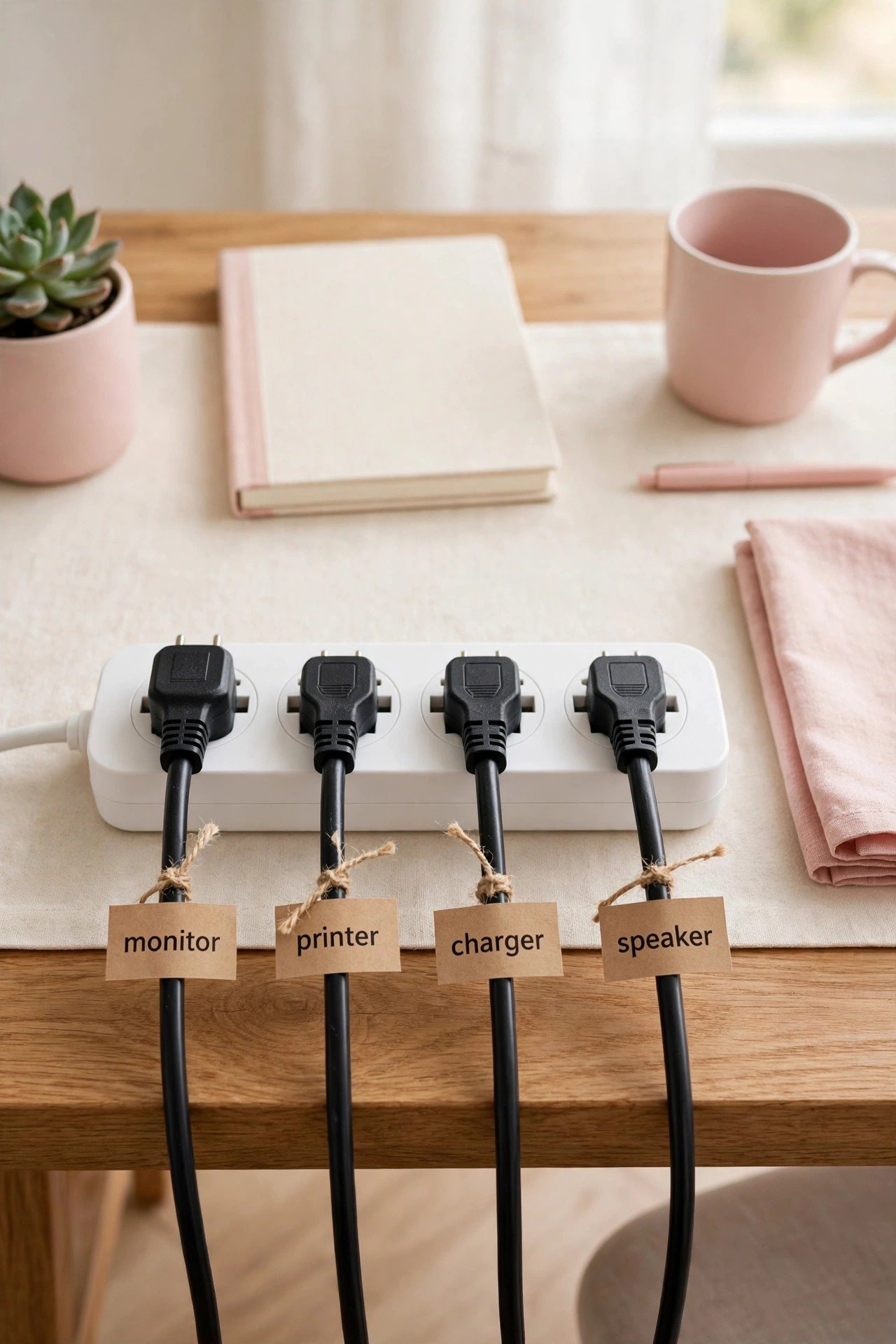
5. Label Every Cable With a Printed Tag
When six identical black cables plug into one strip, labels save you from unplugging the wrong one. Wrap a small printed tag around each cord near the plug end. Monitor, printer, charger, and speaker each get a clear name.
Use a label maker or write on reusable Velcro tags that you can update later. Label both ends of long cables so you can trace them easily. This tiny habit turns future troubleshooting from a guessing game into a one-minute task.
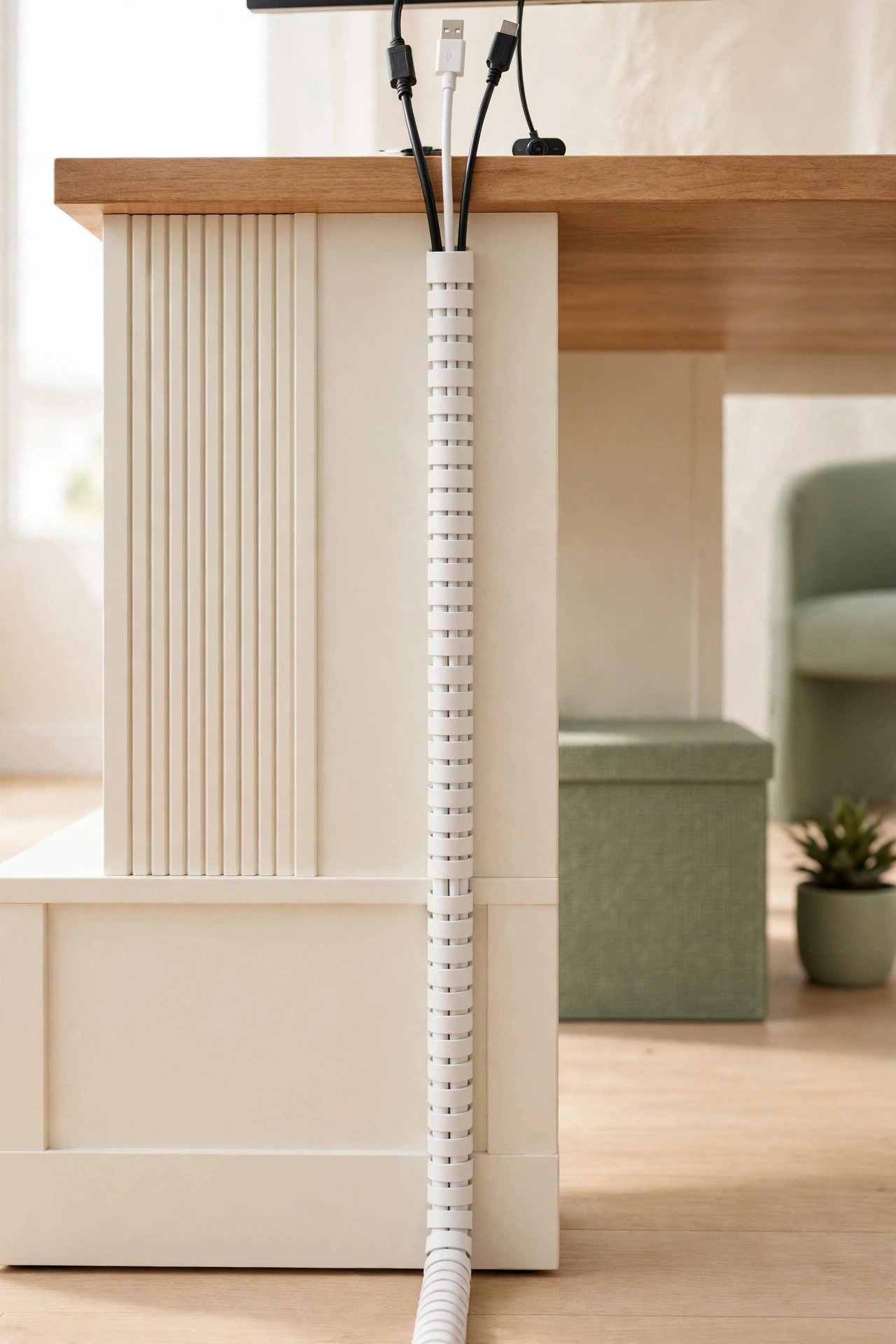
6. Route Monitor Cables Through a Spine
A cable spine is a flexible segmented tube that carries your monitor, keyboard, and webcam cords from desk to floor. It looks like a single clean column instead of a waterfall of wires. Spines work especially well with monitor arms and height-adjustable desks.
Attach the top of the spine to the back of your monitor or desk edge. The segments flex as your desk moves, so nothing pulls loose. Choose a spine in white or black to match your setup for a seamless look.
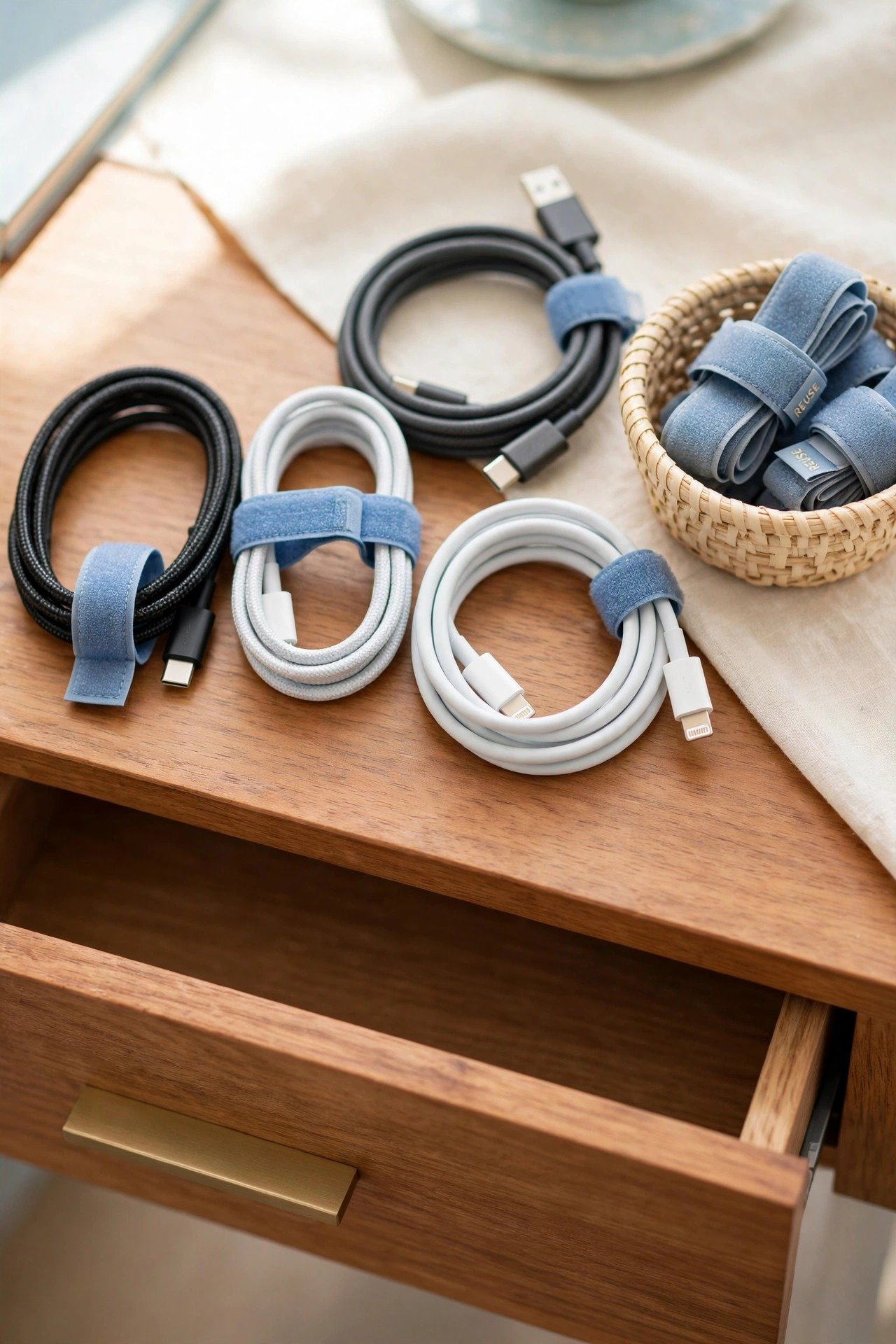
7. Coil Long Cords With Reusable Ties
Extra cable length is the main reason cords look messy. Coil the excess into a neat loop and secure it with a reusable Velcro tie. Six-foot charging cables suddenly behave like the two-foot cables you actually need.
Never wrap cords tightly around adapters, since sharp bends can damage wires over time. Loose loops secured with ties keep cables healthy and tidy. Keep a small stash of ties in your desk drawer for future gadgets.
8. Tuck the Router Into a Ventilated Basket
Routers and modems come with blinking lights and a bouquet of cables that ruin any styled shelf. A ventilated basket or a louvered box hides the equipment while letting heat escape and signals pass through. Your shelf looks calm while your Wi-Fi stays strong.
Cut a small opening in the back of the basket for the power and ethernet cables. Never seal electronics in an airtight container, since overheating shortens their life. This trick works in living rooms, offices, and small space setups where the router has nowhere to hide.

9. Thread Cables Through a Desk Grommet
A desk grommet is a small ringed hole that lets cables pass cleanly from the desktop to the space below. Instead of cords draping over the desk edge, they drop straight through the surface. The result looks built-in and professional.
Many desks come with grommet holes already cut. If yours does not, a hole saw and a snap-in grommet ring make a quick weekend project. Feed your most-used cables through the grommet closest to their devices for the shortest, neatest runs.

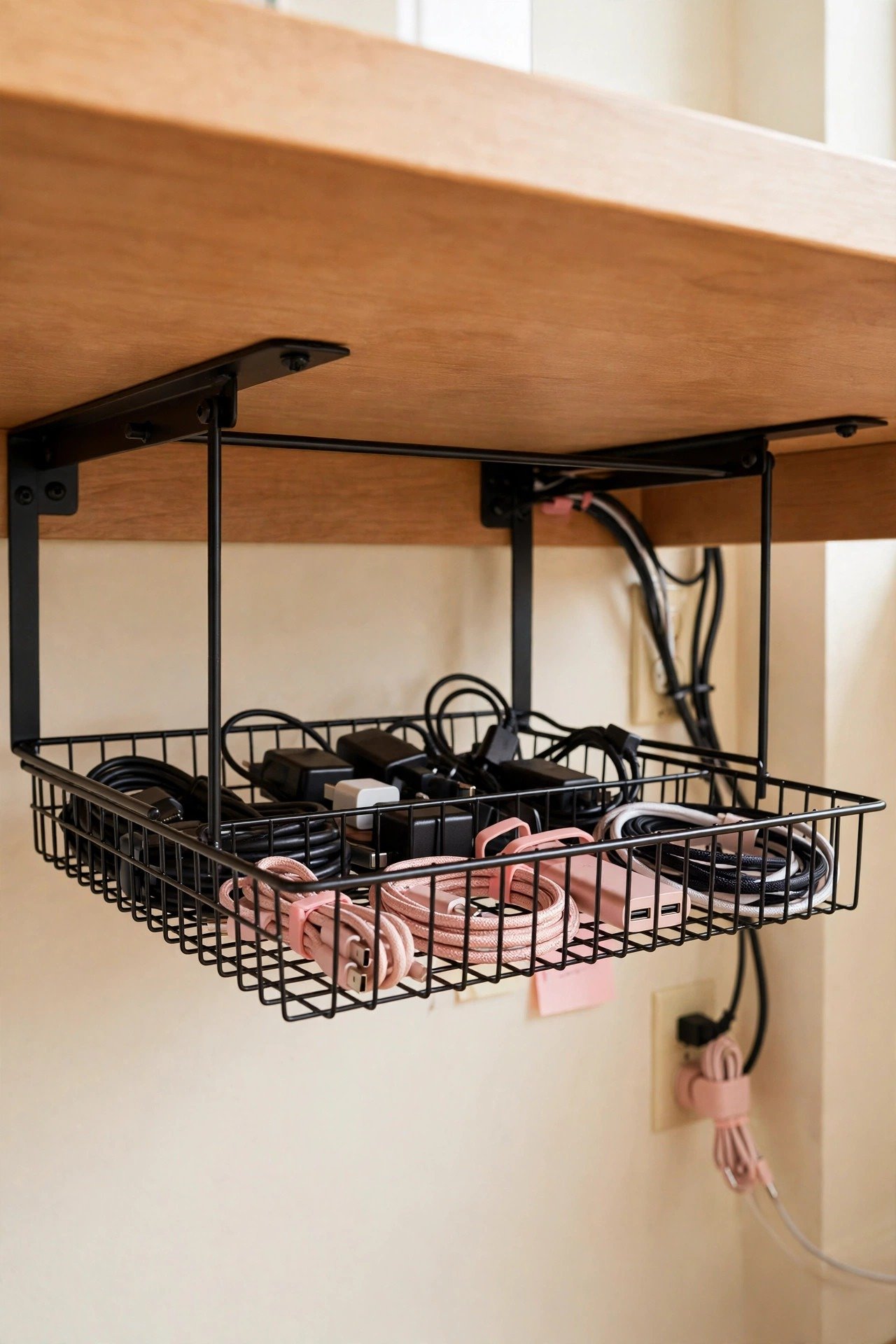
10. Catch Loose Wires in an Under-Desk Tray
An under-desk wire tray is a shallow metal basket that mounts beneath your desktop. Excess cable length, adapters, and small power bricks rest inside instead of dangling. Everything stays off the floor and out of sight from across the room.
Size the tray to your cable load so nothing overflows over the edges. Route cables into the tray from above and out toward the wall in one direction. This is the backbone product that makes every other cable trick work better.
11. Charge Devices Inside a Docking Box
A docking box combines a power strip with divided slots that hold phones and tablets upright while they charge. It corrals your daily devices and their cables into one compact station. The lid or cover keeps the whole setup looking neat between charges.
Place the box on your desk or a nearby shelf where you naturally set your phone down. Label each slot for family members if you share the station. This idea bridges cable management and charging organization in one tidy package.

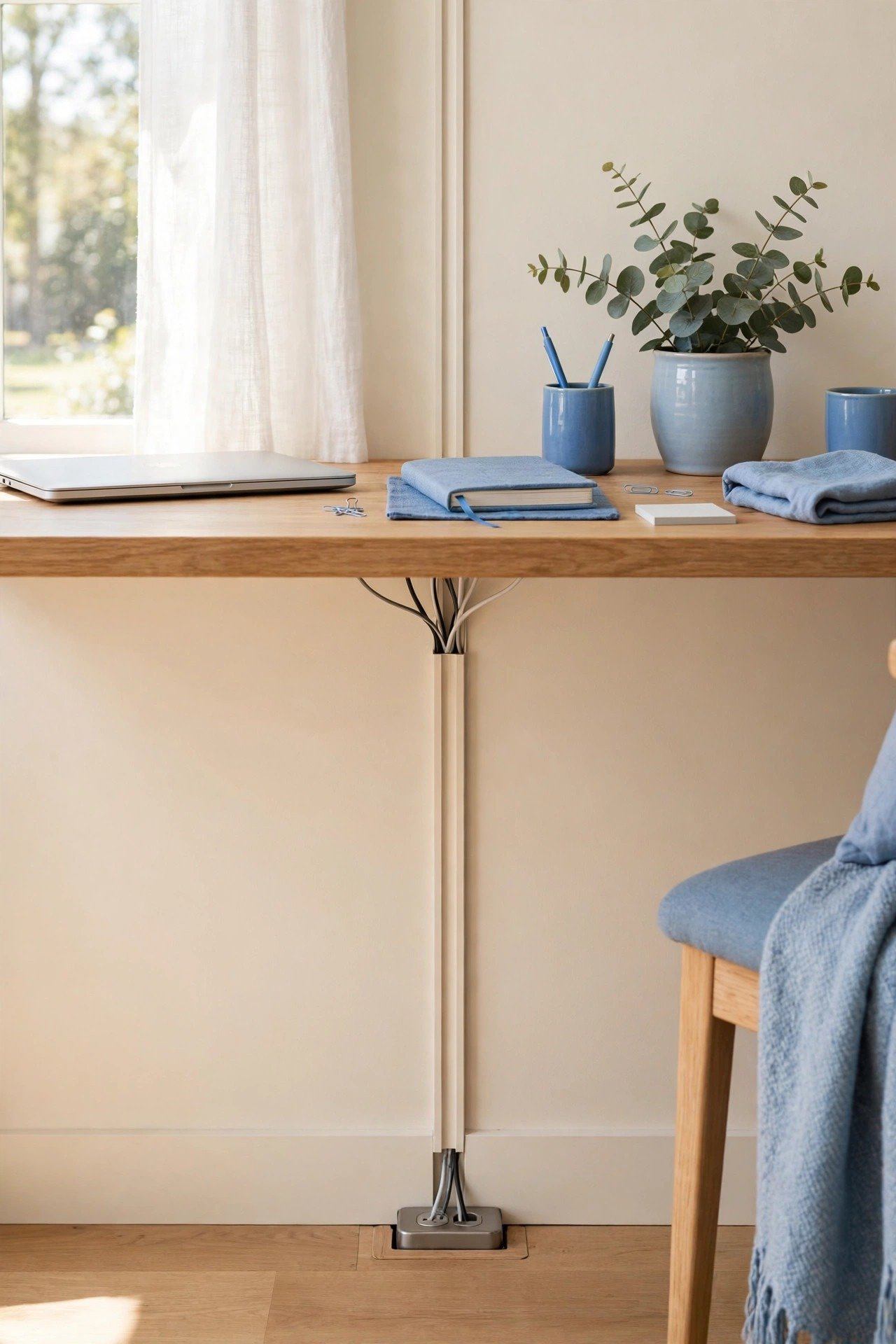
12. Hide Vertical Runs in a Wall Channel
Cables that run from your desk down to a floor outlet look messy no matter how neat the desk is. A paintable wall channel covers the vertical run with a slim plastic cover. Once painted to match your wall, the channel practically disappears.
Stick the channel to the wall with adhesive backing for a damage-free install. Feed all your floor-bound cables through it in one pass. This finishing touch makes your cable management look professionally installed.
13. Reset Your Cables Once a Month
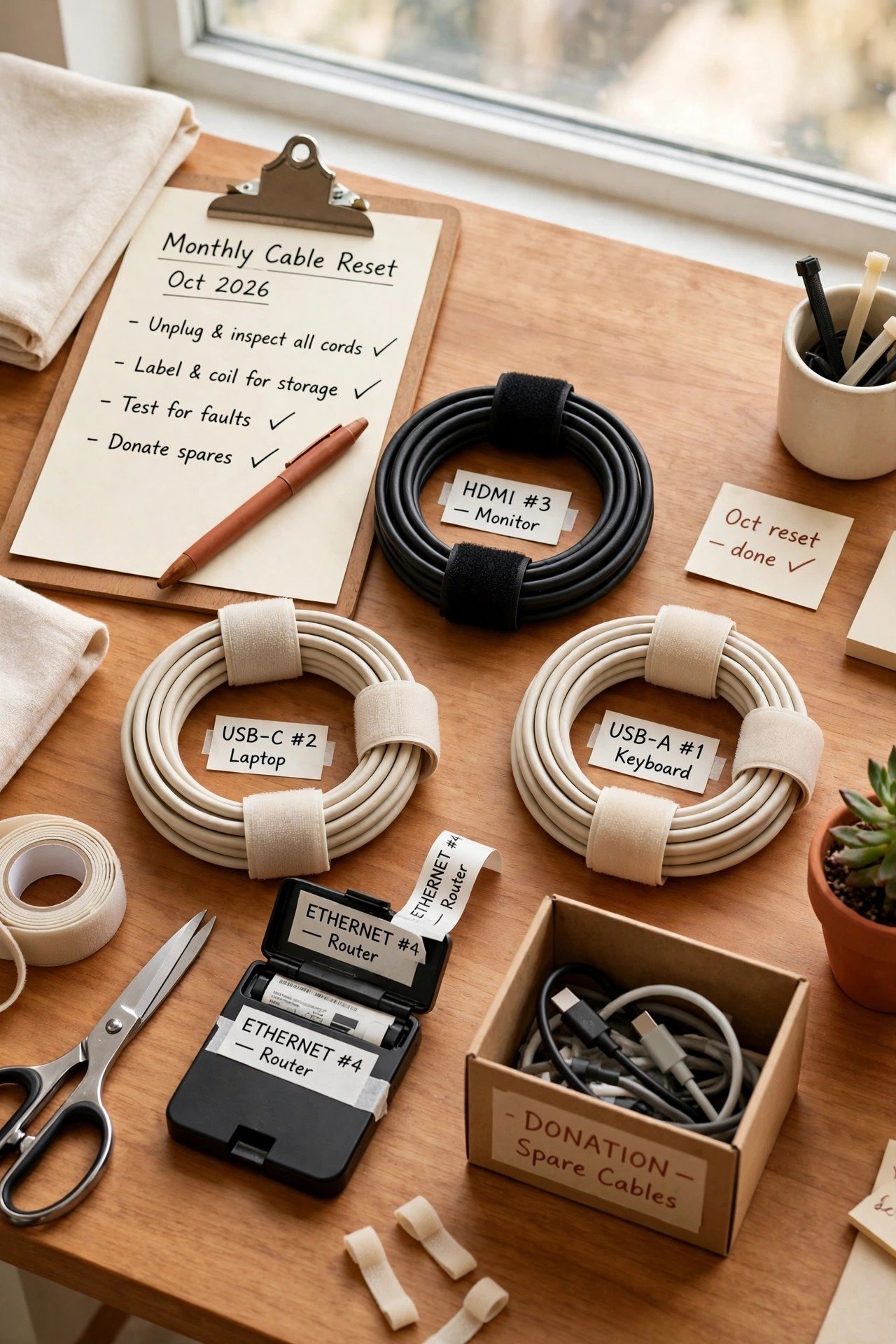
Even the best cable system drifts over time as new gadgets arrive and old ones leave. Schedule a ten-minute monthly reset to unplug dead cables, re-coil loose ones, and update your labels. This small habit keeps your setup permanently tidy.
During each reset, ask whether every plugged-in cable still earns its spot. Remove chargers for devices you no longer own and donate spare cables you never touch. A lean cable collection is far easier to keep beautiful than a bloated one.
Conclusion
Cable chaos is not a personality trait, it is just a system waiting to be built. A box, a tray, some clips, and a label maker are enough to transform the messiest desk into a calm workspace. You will spend less time untangling and more time actually working.
Start with the single idea that bothers you most, then add the rest over time. Within one afternoon, your home office can go from cable jungle to clean minimalism. Your future self will thank you every single day.
Frequently Asked Questions About Cable Management
What is the easiest way to hide cables under a desk?
Mount a wire tray or cable management box under the desktop and plug everything into a strip inside it. Only the cables you need should exit toward your devices. This one change hides most of the visible mess in under an hour.
How do I manage cables without drilling holes?
Use adhesive cable clips, Velcro ties, and a freestanding cable box. Stick the power strip to the desk underside with heavy-duty mounting strips. These damage-free solutions work well in rentals and still look clean.
Should I label my cables?
Yes, labeling saves real time when you need to unplug one device among many. Tag each cable near the plug end with its device name. Update the labels whenever your setup changes so they stay accurate.
How do I stop my phone charger from falling behind the desk?
Anchor the cable with an adhesive clip on the desk edge or route it through a weighted cable holder. Keep the charging end exactly where your hand expects it. This tiny fix ends the daily behind-the-desk rescue mission.
How often should I reorganize my cables?
Do a quick ten-minute reset once a month. Remove cables for devices you no longer own, re-coil loose cords, and refresh worn labels. Regular mini resets keep your setup tidy without ever needing a full overhaul.

Hi, I’m Emily! I turn messy corners into cozy, organized spots. DreamNestDecor is where I share simple, practical home ideas — decor, organization, and small-space solutions that work in real life, not just in photos. Every idea here is carefully researched before it’s shared.